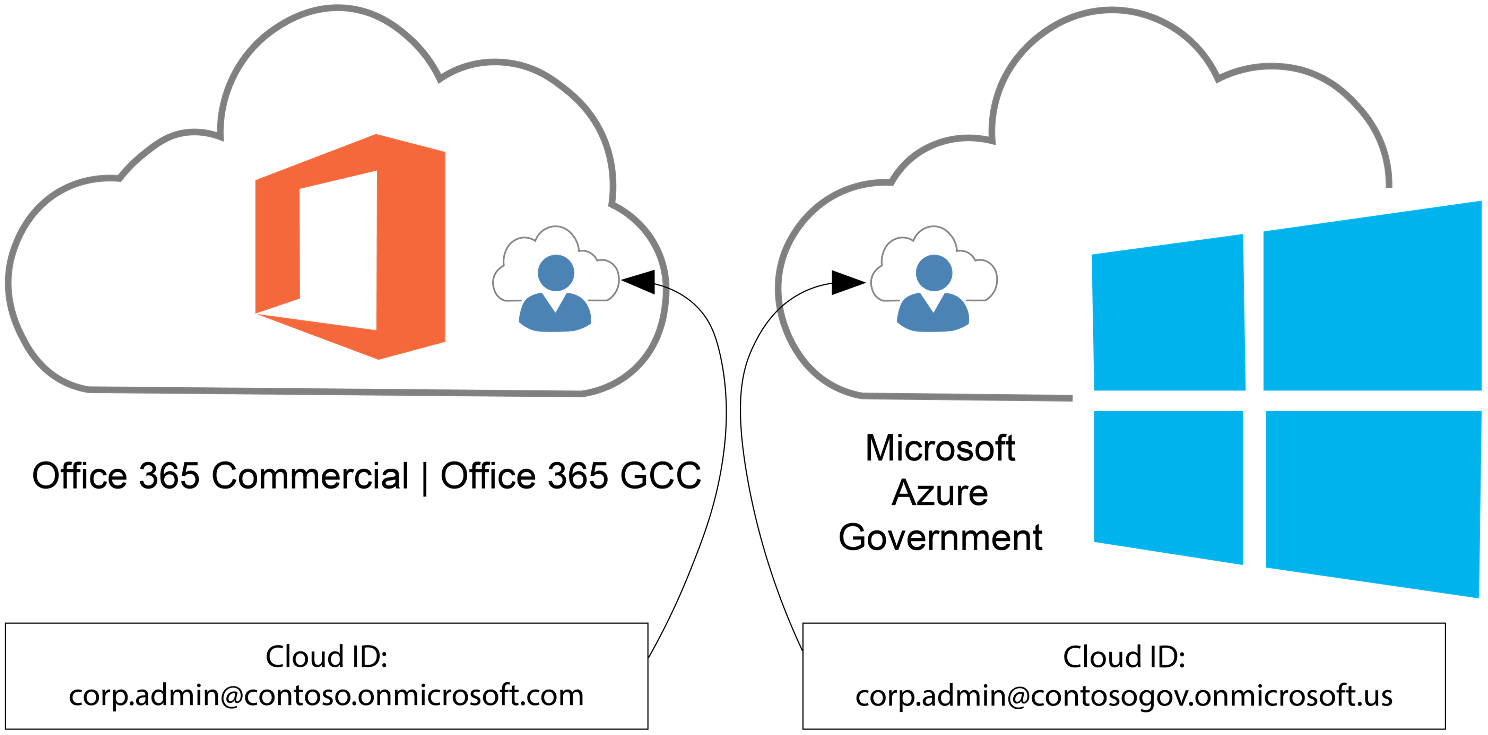
A common misconception is that you can administer & manage Azure Government using Entra ID Public/Commercial tenants/directories. You can’t. Only Entra ID Government tenants can administer & manage Azure Government cloud instances.
However, administering & managing Azure Government is a privileged role, usually isolated to a few administrator accounts:
Did you know end users with identities from Entra ID Public/Commercial (M365 GCC) can be authenticated & use applications hosted in Azure Government?
This is how your Microsoft 365 Commercial or GCC users can access applications in Azure Government using their Entra ID Public/Commercial user accounts, if the applications use (Entra ID-based) Modern Authentication.
Applications using modern authentication in Azure Government
Register an application with the Microsoft identity platform shows how you can use Microsoft Entra ID to provide secure sign-in and authorization to your applications. This process is the same for Azure Public and Azure Government once you choose your identity authority.
Choosing your identity authority
Azure Government applications can use Microsoft Entra Government identities, but can you use Microsoft Entra Public identities to authenticate to an application hosted in Azure Government? Yes! Since you can use either identity authority, you need to choose which to use:
- Microsoft Entra Public – Commonly used if your organization already has a Microsoft Entra Public tenant to support Office 365 (Public or GCC) or another application.
- Microsoft Entra Government – Commonly used if your organization already has a Microsoft Entra Government tenant to support Office 365 (GCC High or DoD) or are creating a new tenant in Microsoft Entra Government.
Once decided, the special consideration is where you perform your app registration. If you choose Microsoft Entra Public identities for your Azure Government application, you must register the application in your Microsoft Entra Public tenant. Otherwise, if you perform the app registration in the directory the subscription trusts (Azure Government) the intended set of users can’t authenticate.
Note:
Applications registered with Microsoft Entra-only allow sign-in from users in the Microsoft Entra tenant the application was registered in. If you have multiple Microsoft Entra Public tenants, it’s important to know which is intended to allow sign-ins from. If you intend to allow users to authenticate to the application from multiple Microsoft Entra tenants the application must be registered in each tenant.The other consideration is the identity authority URL. You need the correct URL based on your chosen authority:
Identity authority URL Microsoft Entra Public login.microsoftonline.com Microsoft Entra Government login.microsoftonline.us
Read more here:
- Planning identity for Azure Government applications
https://learn.microsoft.com/en-us/azure/azure-government/documentation-government-plan-identity
 kurtsh
 Kurt Shintaku's Blog
You must be logged in to post a comment.