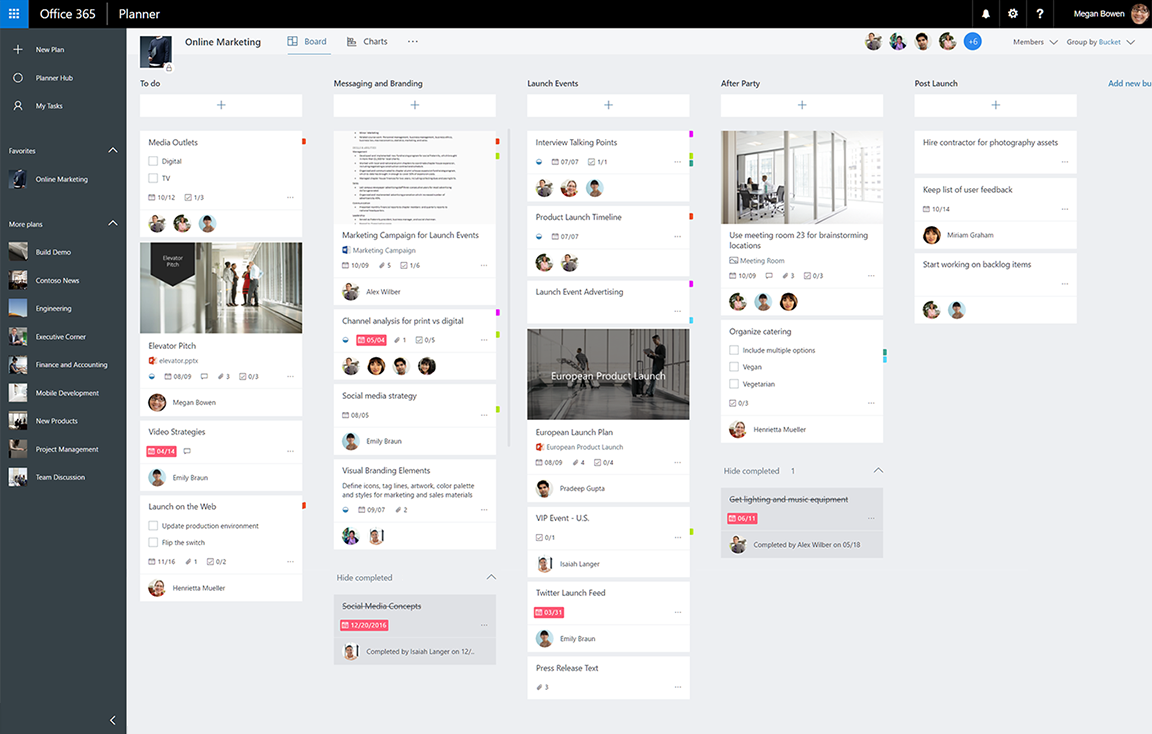
With the retirement of Project Online coming September 30, 2026, I’ve recently gotten a number of questions about Microsoft Planner, the lightweight planning & project management solution that integrates with Microsoft Project, included with Microsoft 365.
Here’s an index of resources to use when investigating the use of Microsoft Planner for your users:
- INTRODUCTION: Planner has several introductory resources for it.
- Planner datasheet
https://aka.ms/newplannerdatasheet - Planner site: https://www.microsoft.com/en-us/microsoft-365/planner/microsoft-planner
- Planner datasheet
- ADOPTION: Microsoft has an adoption site for Planner that contains videos and other guidance around the usage of Planner & it’s integration with Project. https://adoption.microsoft.com/en-us/microsoft-planner/?culture=en-us&country=us
- ONLINE TRAINING:
- Planner support for end users: https://support.microsoft.com/en-us/planner
- Planner video demonstrations on YouTube: https://www.youtube.com/playlist?list=PLXPr7gfUMmKwwYisWgc8hHuJ14Flf80yu
- Planner guidance for admins: https://learn.microsoft.com/en-us/planner/
- NEWS:
- Community: There is an online community dedicated to Planner where updates and new announcements are discussed. https://techcommunity.microsoft.com/category/Planner
- Blog: https://techcommunity.microsoft.com/category/planner/blog/plannerblog
- Copilot for Planner: https://support.microsoft.com/en-us/topic/access-copilot-in-planner-preview-8a4f0a0d-82a4-444f-b01a-0421745a30a2
- DOCUMENTATION:
- Planner service description: https://learn.microsoft.com/en-us/office365/servicedescriptions/project-online-service-description/microsoft-planner-service-description
- Planner licensing: https://learn.microsoft.com/en-us/planner/licensing
- Planner license assignment: https://learn.microsoft.com/en-us/planner/understand-planner-trial-and-license-assignments?source=recommendations
- Planner security & compliance: https://learn.microsoft.com/en-us/planner/planner-security-privacy-compliance
- Prereqs for using Powershell with Planner: https://learn.microsoft.com/en-us/planner/prerequisites-for-powershell
- Planner FAQ for admins: https://learn.microsoft.com/en-us/planner/faq-for-planner-admins
- Planner FAQ for everyone: https://aka.ms/newplannerfaq
- Planner limits on usage: https://learn.microsoft.com/en-us/planner/planner-limits
- SUPPORT:
- Support page for Planner: https://support.microsoft.com/en-us/planner
- Support resources for Planner & Project: https://www.microsoft.com/en-us/microsoft-365/planner/planner-and-project-support
- Feedback for Planner: https://feedbackportal.microsoft.com/feedback/forum/a1a93b69-2f1c-ec11-b6e7-0022481f8472
- DEVELOPMENT:
- Using the Microsoft 365 Graph – Planner tasks and plans API overview: https://learn.microsoft.com/en-us/graph/planner-concept-overview
- Power Platform connector for Planner: https://learn.microsoft.com/en-us/connectors/planner/
- SPECIALISTS: Microsoft discussions about Project/Planner are done through “Virtual Specialists”, 3rd parties designated by Microsoft as representatives for specific products. “Projility” & “OnePlan” are Virtual Specialist Partners for Project/Planner in the State & Local Government space.
(They are dedicated to Project/Planner & also provide both Project/Planner professional services & training)- Projility: https://www.projility.com/
- OnePlan: http://oneplan.ai/
- TRAINING PARTNERS: Additionally, there are many Microsoft Learning Partners, companies that deliver Planner training for end users and IT. Some examples include:
- New Horizons: https://www.newhorizons.com/search/keyword/planner
- NetCom Learning: https://www.netcomlearning.com/search?q=planner
- UNIFIED: There are Unified Services “Cloud Solutions Architects” that deliver Project & Planner “workshops” that use Proactive Credits on your Microsoft Unified Services agreement, however customers need to talk to their Unified Services representative (Customer Success Account Managers or CSAMs) for what is available because this would likely be a custom engagement.
 kurtsh
 Kurt Shintaku's Blog
You must be logged in to post a comment.