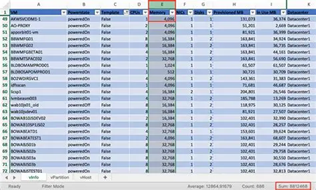
With the recent rise in interest by organizations in migrating from VMware to Azure, I’ve discovered that Azure administrators & many VMware administrators aren’t familiar with “RVTools” & this quick overview may be valuable.
——————-
A valuable component of understanding the VM migration cost to Azure as well as the on-going monthly Azure service costs, is executing an “RVTools” export, a tool owned & managed by Dell.
What is RVTools?
Quoting Dell: “RVTools is a lightweight Windows application that gives VMware administrators instant, detailed insight into their virtual environments. With an intuitive interface and robust export options, it simplifies monitoring, managing, and reporting on virtual machines, clusters, datastores, and more. Designed to save time and drive smarter decisions, RVTools transforms complex data into actionable insights quickly and effortlessly.”
(Note: RVTools stands for “Rob de Veij Tools”, the creator of the tools which were later acquired by Dell in October 2023.)
What details does RVTools provide?
RVTools exports can provide the following for cost & usage analysis:
- Virtual machine inventory: Displays names, power states, templates, and configuration details for all virtual machines.
- CPU and memory allocation: Shows the number of CPUs, memory size, and active memory usage for each VM.
- Disk and storage details: Lists the number of virtual disks along with total capacity, provisioned storage, and used storage.
- Snapshots: Provides presence and detailed data about snapshots to support backup and recovery planning.
- VMware tools status: Highlights the version and running status of VMware tools, ensuring seamless OS integration and management.
- Network configuration: Details NIC count, connected networks, IP addresses, and latency sensitivity.
- Host and cluster association: Identifies the ESX host name, cluster name, and resource pool associated with each virtual machine.
- Health and configuration flags: Monitors critical metrics like heartbeat status, consolidation needs, HA settings, and fault tolerance state.
To read more about RVTools and download the tools themselves, visit:
- Product Page: RVTools
https://www.dell.com/en-us/shop/vmware/sl/rvtools - Download: RVTools | Installer | 4.7.1 Installer (10 Jun 2025)
https://www.dell.com/support/kbdoc/en-us/000325532/rvtools-4-7-1-installer - Documentation: RVTools documentation and release notes:
https://downloads.dell.com/rvtools/rvtools.pdf - Support:
rvtools@dell.com
For guidance on executing the RVTools export for running an Azure assessment, check out the following pages:
- Tutorial: Import servers running in a VMware environment with RVTools XLSX (preview)
https://learn.microsoft.com/en-us/azure/migrate/tutorial-import-vmware-using-rvtools-xlsx - How to take VMware RVTool Extract to Run AVS Assessment
https://techcommunity.microsoft.com/discussions/azure/how-to-take-vmware-rvtool-extract-to-run-avs-assessment/4381917 - Creating Azure Estimates from RVTools Export from VMWare
https://www.mscloudbros.com/2024/06/12/creating-azure-estimates-from-rvtools-export-from-vmware/
 kurtsh
 Kurt Shintaku's Blog
You must be logged in to post a comment.