Are you an Azure Government customer planning on using Azure Arc-enabled Windows Management services? PLEASE READ THIS POST!
If you have Software Assurance on your Windows Server core licenses & want to enable Windows Management features like Azure Update Manager, Azure Policy, Azure Change Mgmt & Inventory, etc. without getting billed for these Windows Mgmt services in Azure Government (as you are entitled to by virtue of your Software Assurance on your Windows Server cores) you must use the Powershell script written by Scott Metzel, and written about by John Kelbley on the Azure Advanced Migration blog.
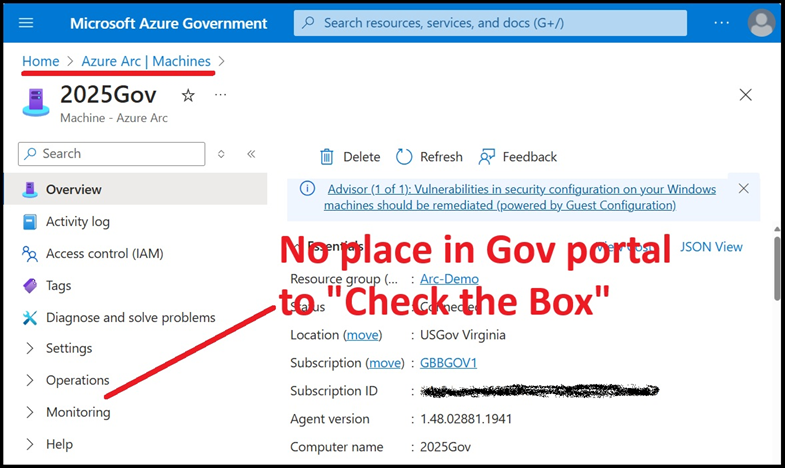
WHY?
This is because (at least as of April 2025) the Azure Portal UI in Azure Government is currently missing the “Windows Server SA attestation” checkbox that normally mitigates these Azure charges. To get by this, you need to “check the box” using Powershell instead to avoid being billed for these services.
Visit the following for more details & to download the script:
 kurtsh
 Kurt Shintaku's Blog
You must be logged in to post a comment.