Want a quick shortcut to kill frozen applications directly from the Windows taskbar?
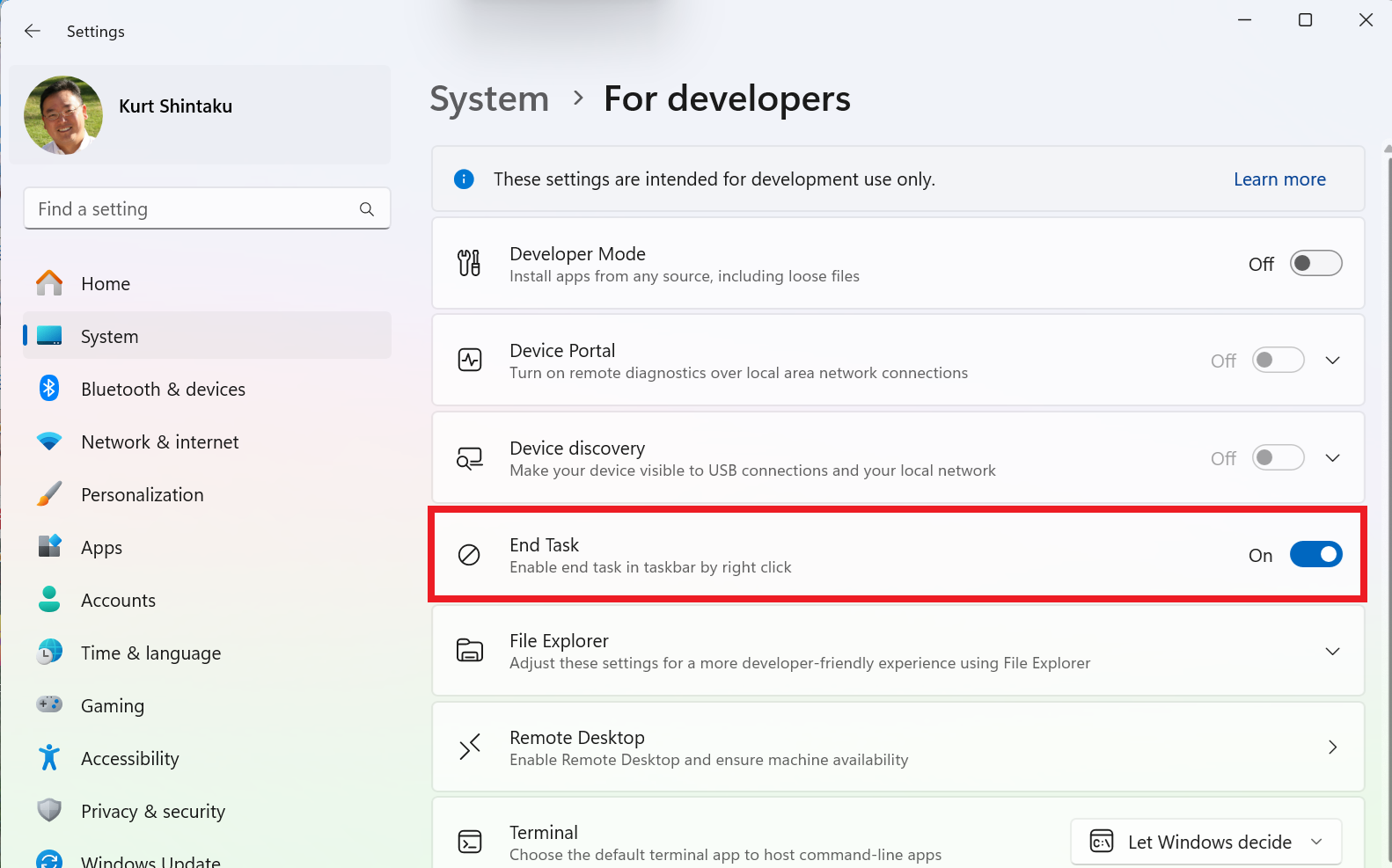
- Go to Windows Settings – System – For Developers
- Switch “End Task” to the ON position
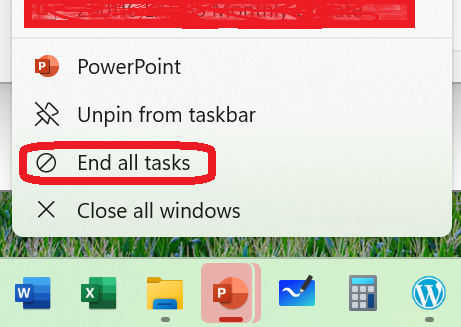
The next time you right click an application in the Windows Taskbar, you should see a new menu option called “End all tasks”.
 kurtsh
 Kurt Shintaku's Blog
You must be logged in to post a comment.