UPDATE 12/6/24
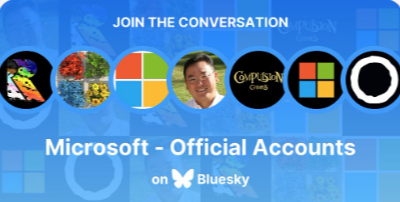
WHOA. Yesterday, after I posted this, Microsoft Corporation officially joined Bluesky as a company, verified by Frank X. Shaw, our Director of Corporate Communications. This is absolutely real.
In celebration of Microsoft Corporation officially joining BlueSky, here’s a “Microsoft Product Group” Starter Pack of about 15 accounts so far. (I expect a lot more in the coming weeks as we get our internal domain verification process established. 😁)
- Microsoft – Official Accounts on Bluesky
https://go.bsky.app/RXV9REe
ORIGINAL POST 12/4/24
I get a lot of questions about how it is I stay connected with so many different areas within Microsoft. A good way to stay in touch with our technologies is to follow the various Microsoft employees responsible for each. These include Product Managers, Program Managers, Cloud Architects, Technology Specialists & Support Engineers on BlueSky.
MICROSOFT EMPLOYEE STARTER PACK
Here’s a “Starter Pack” that I created of Microsoft employees currently with accounts on BlueSky. Simply go to the link below to the Starter Pack & click the “Follow All” button at the top.

- Microsoft Employees – ~150 People I follow
https://go.bsky.app/FQPYmfc
(There’s a maximum limit of 150 accounts per Starter Pack)
BUILDING YOUR OWN STARTER PACK
If you’re looking to build your own Starter Pack, here are some tools you can use in additional to the client-based Starter Pack creator:
- Convert Starter Pack to List
https://nws-bot.us/bskyStarterPack.php - Convert List to Starter Pack
https://nws-bot.us/bskyList2StarterPack.php - Convert your follows to a List
https://nws-bot.us/bskyListMyFollows.php - BlueSky Starter Pack Directory
https://blueskydirectory.com/starter-packs
CLIENT TOOLS
These are client tools that I use to access BlueSky or review my account that may be useful to you:
- Deck.Blue – A multi-column TweetDeck clone for BlueSky for users that like to view multiple feeds at the same time.
https://deck.blue - OpenVibe – A tool that simultaneously posts to BlueSky, Mastodon & Threads & collects posts from all 3 networks into a single feed on your iOS or Android phone.
https://openvibe.social - BlueSky Receipts – A fast way to review some basic stats about your BlueSky account. The total number of reposts your account has gotten, the day you post the most, etc.
https://bskypt.vercel.app - BlueSky Roast – An AI-based interpretation of your BlueSky feed. The topics & words you use the most, the general demeanor of your feed, etc.
https://blueskyroast.com/ - BlueSky Stats – Aggregate stats for all posts in Jaz’s Bluesky index. https://bsky.jazco.dev/stats
INDEPENDENT DOCUMENTATION AROUND “HOW TO”
Here are some additional tools that you may find useful to get started on BlueSky if you’re new to the network:
- BlueSky Feed Creator(s)
- How to Verify your account on BlueSky
https://bsky.social/about/blog/4-28-2023-domain-handle-tutorial - Delete Twitter posts & Migrate to BlueSky
https://cyd.social/delete-all-your-tweets-for-free-with-cyd/ - Sky Follower Bridge from Twitter
https://github.com/kawamataryo/sky-follower-bridge - How to get a BlueSky Recovery Key https://whtwnd.com/did:plc:xz3euvkhf44iadavovbsmqoo/3laimapx6ks2b
- BlueSky Content Backup Tool
https://github.com/imax9000/bluesky-repo-backup - BlueSky Registry for Microsoft Employees & MVPs
https://bluesky.ms
 kurtsh
 Kurt Shintaku's Blog
[…] INFO: Microsoft on BlueSky and INFO: Microsoft Copilot Discord Server (Kurt Shintaku) […]
By: Dew Drop – December 5, 2024 (#4315) – Morning Dew by Alvin Ashcraft on December 5, 2024
at 4:52 am