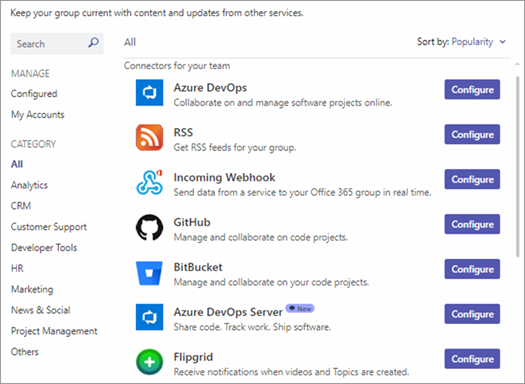
Starting August 15, 2024, Microsoft will retire the Office 365 connectors feature in Teams, and all new Connector creation will be blocked within all clouds. (Clouds include Public, GCC, and GCCH).
Existing Office connectors need to be migrated to Workflows before October 1, 2024, when all connectors will stop functioning
Why?
As taken from the deprecation announcement: “We recommend Power Automate workflows as the solution to relay information into and out of Teams in a … secure way. Power Automate workflows… provide maximum security of your information. These changes are aligned to the Microsoft Secure Future Initiative, and our company-wide priority to safeguard our customers from cyber threats.“
FAQ
- Are we able to extend the deadline for the Office 365 Connector deprecation?
Not at this time. The deprecation of Office 365 Connectors is being orchestrated in concert with the timelines associated with Microsoft’s Secure Future Initiative. - Is there a cost for Power Automate workflows?
No. M365 users are seeded Power Platform licenses which allows them to use Power Automate standard connectors for free. - Any advice on reporting on the usage of connectors within a Microsoft 365 cloud instance?
Here is Eu Nice’s script on this, which can help and be run by Tenant Admins:- “The auth mechanism needs to be updated as I used a hack to retrieve the access token that no longer works. But the underlying code should still be good TheBluLion/IdentifyIncomingWebhooks: This code sample identifies teams with incoming webhooks (github.com)“
- There is also another PowerShell script that lists Teams with Connectors here: https://github.com/svarukala/MSTeamsIncomingWebhooksUtil/blob/main/List-TeamsWithConnectors.ps1
- Does this deprecation also include the “Incoming Webhook” connector?
Yes, this does include the deprecation of the “Incoming Webhook” connector. Currently the connector for “Incoming Webhook” is a security risk as it’s an unauthenticated and anonymous service. We are directing customers to go use the Workflows Webhook templates as they provide an authenticated and more secure solution.- https://make.preview.powerautomate.com/galleries/public/templates/d271a6f01c2545a28348d8f2cddf4c8f/post-to-a-channel-when-a-webhook-request-is-received
- https://make.preview.powerautomate.com/galleries/public/templates/34ac6c11796143e1807d6e16c4c28050/post-to-a-chat-when-a-webhook-request-is-received
- Learn more about the Power Automate Teams Webhook connector
 kurtsh
 Kurt Shintaku's Blog
You must be logged in to post a comment.