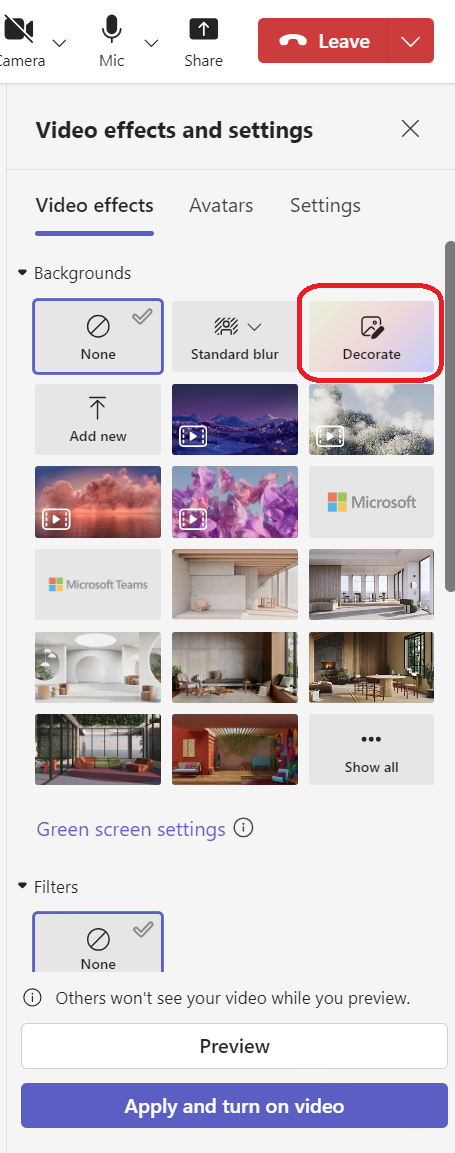
Did you know if you have a “Teams Premium” add-on license, there is a new feature that enables you to apply AI-generated backgrounds depending on your preferences?
It’s a new button that should show up under “Video effects” if your account has a Teams Premium license. Simply select “Decorate” and apply any number of AI-generated effects:
- Clean up: Tidies up your surroundings, removing clutter and creating a more streamlined and minimalistic aesthetic.
- Fancy: Incorporates lavish and elegant decorative elements, like wallpaper, candles, and chandeliers.
- Greenhouse: Adds plants and greenery into your space.
- Celebration: Includes festive decorations like balloons, streamers, and lighting.
- Surprise me: Cycles through a variety of styles and themes to transform your space, including 2D animation, underwater, a block-style design reminiscent of Minecraft, and a space shuttle theme.
For more information, read the announcement blog:
- Decorate your background – How generative AI backgrounds work, and why you might want to use them
https://techcommunity.microsoft.com/t5/microsoft-teams-blog/decorate-your-background-how-generative-ai-backgrounds-work-and/ba-p/4132806
 kurtsh
 Kurt Shintaku's Blog
You must be logged in to post a comment.