 Teams Premium has made quite a name for itself, having thousand of customers in just a short time. The showcase feature that attracts the most attention is usually “Intelligent Recap”.
- Intelligent Recap
But there’s SO MUCH MORE to Teams Premium for:
- IT management & control
- Information & meeting security
- Engagement & sentiment analytics
- Appointment schedulers & assistance
- Webinar trainers & marketers
Here’s a quick 10minute overview of what else there is to experience with Teams Premium:
- VIDEO: Teams Premium Experiences
https://youtu.be/zcfcDH4FbVo
Check some of these features out:
- Personalized experiences
- IT customizable Meeting templates
- Post-meeting audience analytics
- Custom user policy packages
- Advanced meeting information protection
- Watermarking for shared content & video
- End-to-end Encryption option for meetings (E2EE)
- Per-attendee Recording Restrictions
- M365 G5 Sensitivity labels for automatically present/enable “prevent copying” meeting confidentiality options
- End user experience monitoring
- Real-time meeting analytics & reporting for audio, video & sharing while meeting is in progress
- Organizational branding for meeting invites, join page
- Custom in-meeting backgrounds for organizations
- Organization together mode scenes
- Professional virtual appointments
- End-to-end customer appointments – SMS reminders, custom branded lobbies & join-by-web
- Appt management for scheduled & on-demand with pre-appt chat
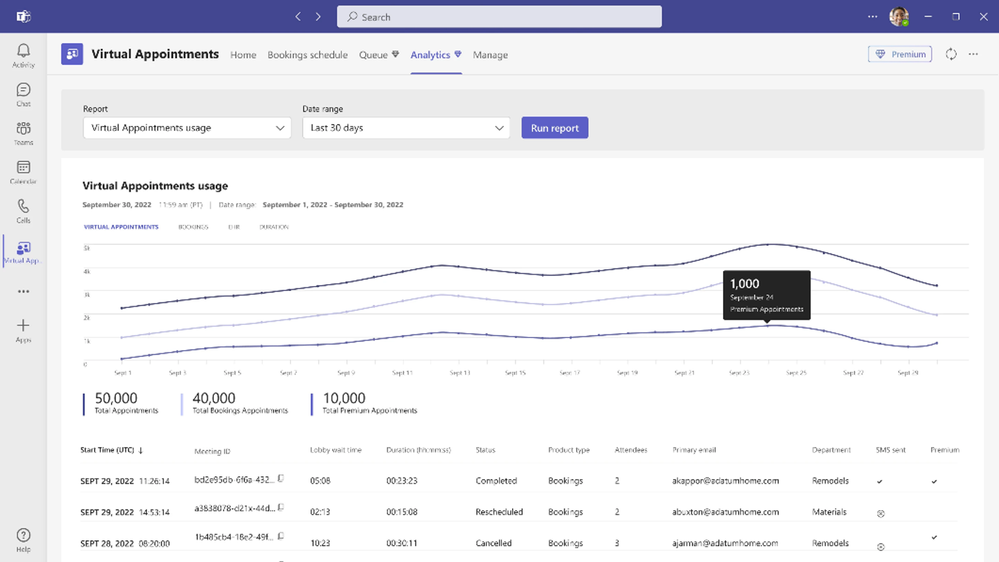
- Analytics & reporting for trends, no-shows, wait times
- Mobile browser join without Teams download
- Professional, comprehensive webinars
- Waitlists, limit registration & manual approval
- Custom webinar confirmation emails
- Presenter Virtual Green Room
- Managed webinar video & screen through webinar
- Microsoft eCDN for Teams Live Events
- Attendee engagement analytics
Read more here:
- Get Started with Microsoft Teams Premium
https://aka.ms/setupTeamsPremium - Overview of Microsoft Teams Premium
https://support.microsoft.com/en-us/office/overview-of-microsoft-teams-premium-4b34cd18-fa16-4797-bae0-b96b13a54f52 - Microsoft Teams Premium – Overview for administrators
https://learn.microsoft.com/en-us/microsoftteams/enhanced-teams-experience
 kurtsh
 Kurt Shintaku's Blog