This was actually released earlier this year but I forgot to post about it. So here’s a summary of one of the lesser known secrets of Microsoft Teams, starting with the announcement:
Today, I am excited to introduce the Games for Work app,* developed by Microsoft Casual Games, an Xbox Games Studio.** Now, you can easily add a game in the context of where work happens: in Microsoft Teams meetings. Choose from a selection of favorite casual games including Microsoft IceBreakers, Wordament, Minesweeper, and Solitaire—all easy to play in quick, interactive, and multi-player versions (from 2 to 250 players). They are safe for work (verifiably “E” rated) and ad-free. To address the various needs of teams, each game within the app emphasizes a different element of team building.
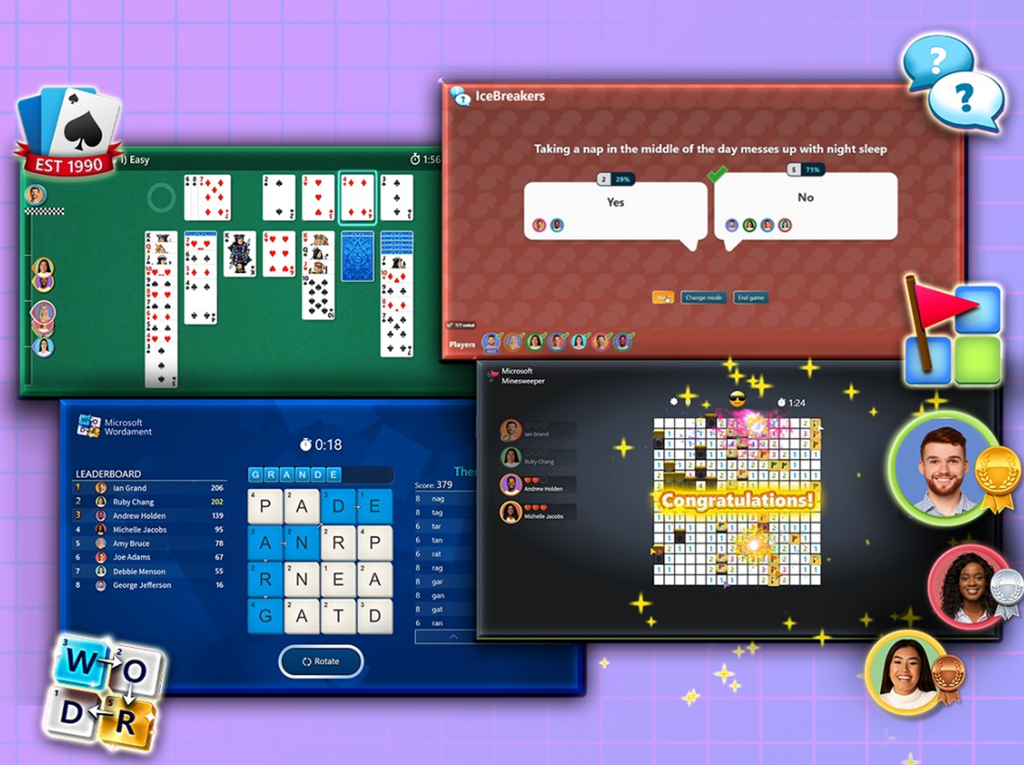
VIDEOS ABOUT GAMES FOR WORK:
Seeing is believing so:
- Here’s a video that shows the games in action:
https://youtu.be/fDJq1-jefIc - Here’s a tutorial on using Games for Work:
https://techcommunity.microsoft.com/t5/microsoft-teams/video-tutorial-how-to-use-the-microsoft-teams-games-for-work-app/m-p/3681168
FAQ:
A few things that I’ll add:
- Does “Games for Work” require a Microsoft Teams meeting?
YES. Games for Work is a Microsoft Teams meeting add-in. It works when assigned to a previously scheduled meeting & run within an actual Teams meeting only. It can also be added to a meeting during the meeting itself on the fly. - Does this require a Microsoft 365 Enterprise subscription?
YES. This is only available to Microsoft 365 Enterprise & Education customers. - Does this work with Microsoft Teams on Mobile devices or browsers?
YES. The apps scale to the form factor that is using it. It works on iPhones, Android-based phones as well as tablets. It will also render in a browser when using Teams for the Web. - Can you use Games for Work with people in other Microsoft 365 tenants?
YES. The Teams experience within a browser will render “Games for Work” games with people outside of your Microsoft 365 tenant. - Can we disable/enable Games for Work for our tenant?
YES. Read the following post for details.
https://techcommunity.microsoft.com/t5/microsoft-teams/how-to-use-and-disable-the-teams-games-for-work-app/m-p/3680971
Read the announcement for “Games for Work” with Microsoft Teams here:
- Build connections in Microsoft Teams with Games for Work, a new Microsoft Teams app| Microsoft 365 Blog
https://www.microsoft.com/en-us/microsoft-365/blog/2022/11/16/build-connections-with-games-for-work-a-new-microsoft-teams-app/
 kurtsh
 Kurt Shintaku's Blog