[Note: MS MVP Richard Hay brought this up on his blog which caught my eye initially however I never saw written proof of this posted on the Microsoft Store web site until recently… and I verified this with store management]
 Imagine getting free, hands-on technical support… from the company that wrote the operating system and likely the Office productivity suite you’re using.
Imagine having some place to send your friends & relatives to when they need tech support. Again, from a name they can trust & a company that has a vested interest in making sure your PC is working, outside of just making money on tech support services fees.
Apparently, we’re now providing FREE technical support to anyone with a Windows PC at the Microsoft Store:
Free in-store services
Whether you bought your PC from Microsoft or somewhere else, our Answer Desk experts will repair any software-related issue, including the following services, for free:
- Extended diagnostics on any device
- Software repair or support
- Virus and malware removal
- PC tune-ups for increased performance
- Recycle for Rewards appraisal with store credit1
This list just absolutely blows my mind. Yes, the free technical support for all Microsoft Windows customers is amazing but for just $49, you can also get some very complicated services:
$49 in-store services
We also offer a wide selection of paid services at our Answer Desk. Get affordable, expert help with upgrades, installation, or data needs, including the following services:
- Warranty Concierge, where we work with the manufacturer to resolve any in-warranty issue at our store (so you don’t have to ship it in)
- Hardware upgrade/install for your PC; free with new memory or drive purchase
- App install for your PC or tablet; free with new PC purchase
- Windows 8.1 upgrade/install
- Data backup migration to ensure your info remains safe on your PC, phone, tablet, Xbox One, or other device
- OneDrive setup to synch all your devices together; free with new PC purchase
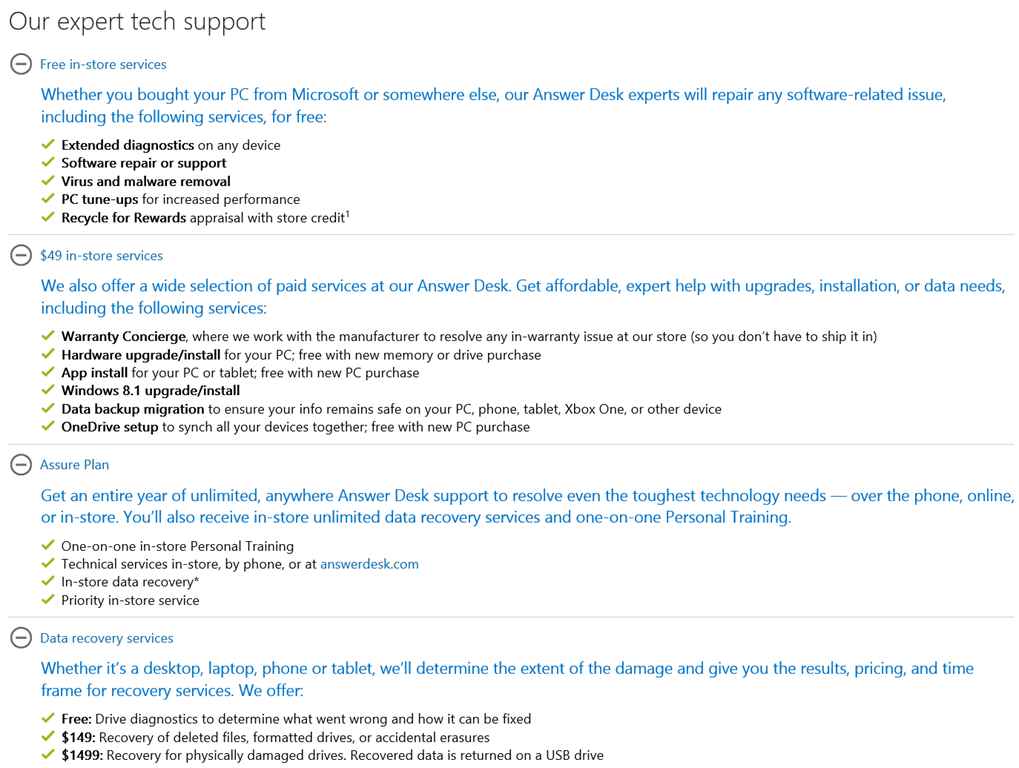
Here’s a snapshot of the services list:
Please CALL and make a reservation before going to the store. If you’re looking for the nearest Microsoft Store, check out this page:
 kurtsh
 Kurt Shintaku's Blog