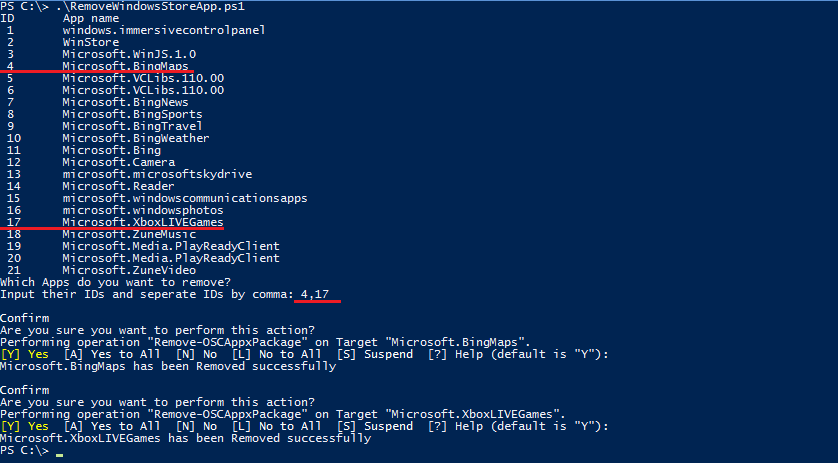
 This script can be used to remove multiple Windows Store apps from a user account in Windows 8. It provides a list of installed Windows Store apps. You can specify the application IDs, and remove them all at once.
The tool provides a text list of installed applications, each enumerated in the menu by app ID. Select the app IDs you wish to uninstall, comma-delimited, and hit enter. You’re done.
For more instructions on using the script, or for a quick video tutorial go to the TechNet download page:
- DOWNLOAD: Remove Windows Store apps in Windows 8 (PowerShell)
http://gallery.technet.microsoft.com/scriptcenter/Remove-Windows-Store-Apps-a00ef4a4
 kurtsh
 Kurt Shintaku's Blog