For those with new Windows RT-based devices enjoying the Office 2013 Preview Release, (like new Surface owners… yeah!) you’re in luck! It’s time to start up Windows Update because the final release of Office Home & Student 2013 is available for autodownload and installation to your device at no charge!
The download is 583MB in size so it’s gonna take a bit to download but once completed, you can look forward to immediately seeing this gratifying change:
 …
…
To install the Office RTM:
- Open the Charms bar by edge swiping from the right of the screen
- Select Settings & “Change PC Settings” at the bottom.
- Select Windows Update.
- Click “No important updates are scheduled to be installed.”
- Click “Get more info”.
- Click “Important update is available”
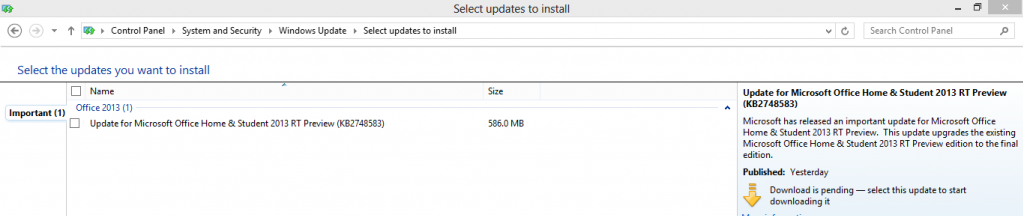
- Check the box next to “Update for Microsoft Office Home & Student 2013 Preview”
- Click Install in the bottom right hand corner.
 kurtsh
 Kurt Shintaku's Blog