 If you’re going to deploy Windows 8 and/or Windows Server 2012 in your company using KMS, you’ll need to update the KMS Host Key for activation.
KMS activation for either Windows 8 or Windows Server 2012 requires that a new ‘KMS Host Key’ associated with the product to be obtained from Volume Licensing Services Center & imported in to your KMS Host Server using the SLMGR.VBS tool. This is discussed in the TechNet article entitled, “Windows 8: Volume Activation Overview”:
http://technet.microsoft.com/en-us/library/hh831612
NOTE: I’m going to assume you have the rights to, & know how to download the KMS Host Key for your organization from the Volume Licensing Services Center at https://www.microsoft.com/licensing/servicecenter. If not, you need to find out who the Administrator is for your company’s Volume Licensing Agreement and either have them grant you rights or have them get you the key you need because the rest of this isn’t going to matter if you don’t have at least that.
THREE THINGS TO KNOW ABOUT UPDATING YOUR KMS HOST
As an Enterprise KMS service administrator, there’s three important things to know about provisioning an existing KMS host that will activate Windows 8 & Windows Server 2012:
- YOU MUST PATCH YOUR WINDOWS SERVER 2008 R2-BASED KMS HOST SERVERS FOR WIN8/WS2012 ACTIVATION
Before you install the KMS Host Key to begin activating Windows 8 & Windows Server 2012 installations on your corporate network, there is an ‘update’ available for your KMS Host servers if the service is hosted on Windows 7 or Windows Server 2008 R2 known as KB2691583:
http://support.microsoft.com/kb/2691586 - NO PATCH IS AVAILABLE FOR WINDOWS SERVER 2003-BASED KMS HOSTS
There is no patch to enable KMS Hosts running on Windows Server 2003 to activate Windows 8 or Windows Server 2012. I’ve been told that the choices for customers in this scenario are as follows:- Leave the current KMS host as is. Install Windows Server 2012 and configure Active Directory Based Activation. This will activate Windows 8/Windows Server 2012. The Windows Server 2003 KMS host will handle everything else that it currently activates.
- Decommission the Windows Server 2003 KMS host. Install Windows Server 2012 and configure Active Directory Based Activation (for Windows 8/2012) then setup a Windows Server 2012 KMS host for Windows 7/Windows Server 2008 R2/etc.
- Decommission the Windows Server 2003 KMS host. Install Windows Server 2008R2 KMS host, install the KB2691586 update, install Windows Server 2012 KMS host key, and that will activate everything. Configure Active Directory based activation also for Windows 8/Windows Server 2012, or execute this at later date.
 A NEW WIN8/WS2012 KMS HOST KEY WILL REPLACE THE OLD WIN7/WS2008R2 KMS HOST KEY
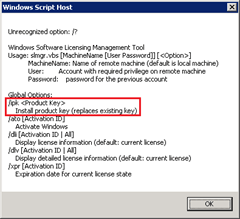
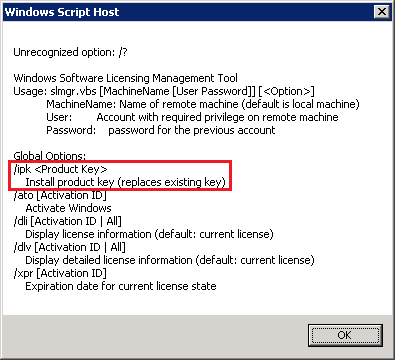
When you install the new WIN8/WS2012 KMS Host Key on your KMS Server, as stated in the SLMGR script, you will be replacing the old activation host key that you used for Windows 7/Windows Vista and/or Windows Server 2008/R2.The new WIN8/WS2012 host key will provide activation for down level operating systems, depending on the type of KMS Host Key being installed.
- The Client Product Key for Windows 8 will enable the KMS Host to activate:
(KMS must be hosted on a Windows 7 or greater installation)
Windows Vista Business
Windows Vista Enterprise
Windows 7 Professional
Windows 7 Enterprise
Windows 8 Professional
Windows 8 Enterprise - The Server Product Key for Windows Server 2012 will enable the KMS Host to activate:
(KMS must be hosted on a Windows Server 2008 installation or greater)
Windows Vista Business
Windows Vista Enterprise
Windows 7 Professional
Windows 7 Enterprise
Windows 8 Professional
Windows 8 Enterprise
Windows Server 2008 (all editions)
Windows Server 2008 R2 (all editions)
Windows Server 2012 (all editions)
- The Client Product Key for Windows 8 will enable the KMS Host to activate:
Here are some other references:
- Windows 8: Volume Activation Overview
http://technet.microsoft.com/en-us/library/hh831612 - KMS Host Keys to Products Activated
http://technet.microsoft.com/en-us/library/ff793422 - General Windows 8 Technical Reference
http://technet.microsoft.com/en-US/windows/hh771458.aspx
 kurtsh
 Kurt Shintaku's Blog