Microsoft has made significant investments to help Software Assurance customers with their changing IT, deployment, and support needs. New and enhanced Planning Services offer organizations greater flexibility to plan on-premises, cloud-based, or hybrid software deployments. License Mobility extends application server license use to the cloud, while System Center Advisor helps customers assess their server configurations to proactively avoid problems, reduce downtime and improve performance. Windows® Thin PC helps make virtual desktop infrastructure (VDI) more affordable, robust, and secure. Lastly, a new Microsoft® Desktop Optimization Pack (MDOP) tool helps customers protect data on mobile devices by making large-scale implementations of Microsoft® BitLocker® easier to manage.
- New Software Assurance Planning Services
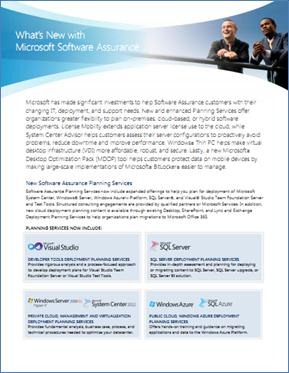
Software Assurance Planning Services now include expanded offerings to help you plan for deployment of Microsoft System Center, Windows® Server, Windows AzureTM Platform, SQL Server®, and Visual® Studio Team Foundation Server and Test Tools. Structured consulting engagements are provided by qualified partners or Microsoft Services. In addition, new cloud deployment planning content is available through existing Desktop, SharePoint, and Lync and Exchange Deployment Planning Services to help organizations plan migrations to Microsoft Office 365. - PUBLIC CLOUD, WINDOWS AZURE DEPLOYMENT PLANNING SERVICES
Offers hands-on training and guidance on migrating applications and data to the Windows Azure Platform. - PRIVATE CLOUD, MANAGEMENT AND VIRTUALIZATION DEPLOYMENT PLANNING SERVICES
Provides fundamental analysis, business case, process, and technical procedures needed to optimize your datacenter. - SQL SERVER DEPLOYMENT PLANNING SERVICES
Provides in-depth assessment and planning for deploying or migrating content to SQL Server, SQL Server upgrade, or SQL Server BI solution. - DEVELOPER TOOLS DEPLOYMENT PLANNING SERVICES
Provides rigorous analysis and a process-focused approach to develop deployment plans for Visual Studio Team Foundation Server or Visual Studio Test Tools. - License Mobility through Software Assurance
Organizations have a range of IT deployment options, including on-premises, Microsoft-delivered cloud services, and partner-delivered cloud services. License Mobility through Software Assurance gives you the ability to deploy certain server applications with active Software Assurance on-premises or in the cloud, without having to buy additional licenses. This benefit update provides additional hosting flexibility and affordability. Learn more at www.microsoft.com/licensing/software-assurance/license-mobility.aspx. - System Center Advisor
System Center Advisor is a cloud service hosted on Windows Azure that regularly analyzes your servers’ configuration to help you proactively avoid problems, while enabling support staff to resolve issues faster by accessing current and historical configuration data; all with the security features that meet your needs. Additionally, System Center Advisor helps reduce downtime by providing suggestions for improvement, and notifying you of key updates specific to your configuration. Learn more at www.microsoft.com/licensing/software-assurance/system-center-advisor.aspx. - Windows Thin PC
Windows Thin PC (WinTPC) provides a low footprint, locked down version of Windows 7 Enterprise that enables organizations to repurpose existing PCs as thin clients, thereby reducing the need for new thin client hardware. And since these PCs retain their existing Software Assurance coverage, they do not need any additional Windows Virtual Desktop Access (VDA) licensing for VDI. WinTPC offers an excellent thin client experience, while still providing users with a superior remote desktop experience. Learn more at www.microsoft.com/licensing/software-assurance/windows-thin-pc.aspx. - NEW tool added to Microsoft Desktop Optimization Pack –
“BitLocker Administration and Monitoring (MBAM)”
Microsoft Desktop Optimization Pack has long offered a suite of technologies to help improve compatibility and management, reduce support costs, improve asset management, and improve policy control. Now organizations using Windows 7 Enterprise BitLocker Drive Encryption and BitLocker To Go to protect data on Windows 7 PCs and portable storage devices can turn to Microsoft BitLocker Administration and Monitoring (MBAM), to help make large-scale implementations easier to manage while minimizing support costs. Learn more at www.microsoft.com/licensing/software-assurance/mdop.aspx.
 kurtsh
 Kurt Shintaku's Blog