This 130MB monstrosity is described as follows:
Microsoft offers a vast number of valuable tools and resources to help you deploy our software, train your people, and manage your investments. The Signature Deployment Kit offers a one-stop shop for all of your deployment and training needs. From physical to digital resources, you’ll find all the technical and user-focused support to help you plan, prepare, pilot, deploy, and manage your software investment.
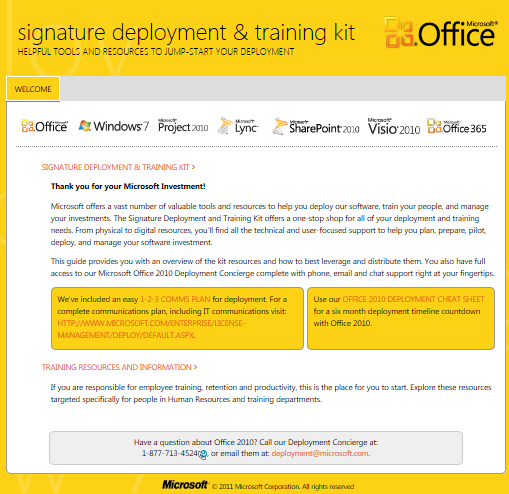
What this is, is a MASSIVE collection of stuff for deploying Windows 7, Office 2010, and other Office products… with a very poor title & description.
Here’s some of the items that are in the Signature Deployment & Training Kit for the “Pilot & Deploy Office” area. (Note: There are EIGHT OTHER AREAS including “Adopt Office”, “Manage Office”, “Windows 7”, etc.
Systems Readiness
- Microsoft Assessment and Planning Toolkit (MAP) For Microsoft Office
The Microsoft Assessment and Planning (MAP) Toolkit is an agentless inventory, assessment, and reporting tool that can securely assess IT environments for various platform migrations.Application Compatibility Readiness
- Office Environment Assessment Tool (OEAT) for Office 2010
This user’s guide for the Office Environment Assessment Tool (OEAT) will help you work successfully with OEAT, a free, downloadable executable (.exe) file that scans client computers for add-ins and applications that interact with Microsoft Office 97, Microsoft Office 2000, Microsoft Office XP, Microsoft Office 2003, the 2007 Microsoft Office system, and Microsoft Office 2010. You use OEAT during the assessment phase of your application compatibility and remediation project, which is described in detail in the Office 2010 application compatibility guide.- Office 2010 Application Compatibility Guide
The application compatibility testing and remediation process for Microsoft Office 2010 deployments identifies compatibility issues and helps you develop plans to fix them.- Office 2010 Code Compatibility Inspector (OCCI)
The Microsoft Office Code Compatibility Inspector helps you troubleshoot compatibility issues in your Microsoft Visual Basic for Application (VBA) Macros and add-ins.File Readiness
- Microsoft Office Migration Planning Manager (OMPM) 2010
The Office Migration Planning Manager (OMPM) is a collection of tools that helps you prepare an environment for migration to Microsoft Office 2010. OMPM can scan your environment in three ways: from an administrative computer, from a central share, and locally on the client computers. Because most users scan their environments from an administrative computer, that configuration is assumed. Other scanning scenarios are noted as needed.Planning Resources
- Springboard Series: Pilot and Deploy Office 2010
When planning an Office 2010 deployment, you will evaluate desktop and application configurations, setup customizations, and deployment methods. Review the technical guidance on this page for more information.- Proof of Concept Jump-start Kit v2.0
- Technical White Paper: Deploying Office 2010 at Microsoft
- Technical Video: Microsoft Deploys Office 2010 to Over 100,000 Machines Worldwide (TN Edge)
- Community Expert Webcast: Office 2010 Transition
- Migration and Deployment of Office 2010 (Edge video)
- Choose an option for deploying Office 2010
You can use five areas of functionality to deploy Microsoft Office 2010: network share, Group Policy startup scripts, managed deployment, application virtualization, and presentation virtualization. You can use any of these options or a combination of them, such as the managed deployment option to deploy and manage virtual Office 2010 applications. This article describes each of the deployment options.- Plan desktop configurations for Office 2010
- Microsoft Office Customization Tool (OCT)
To customize an installation of Microsoft Office 2010, you can use the Office Customization Tool (OCT). The OCT is part of the Setup program and is the recommended tool for most customizations.- Config.xml
Administrators use the Config.xml file to perform installation and maintenance tasks for Microsoft Office 2010.- Setup architecture overview for Office 2010
The Setup architecture in Microsoft Office 2010, first introduced in the 2007 Microsoft Office system, streamlines all aspects of installing, customizing, and maintaining Office. This article contains an overview of the Setup architecture, setup sequence of events, language-neutral design and deployment of multiple languages, customization methods, required local installation source, and updates process.- Customize the installation for Office 2010
Learn about the customization process and resources to help you customize a client installation of Microsoft Office 2010 by reading these articles.- Office 2010 client: Office Customization Tool walkthrough video
- Office 2010 client: Office Customization Tool import feature video
- Technical Deployment Posters
- Advanced Deployment Scenarios using the Microsoft Deployment Toolkit 2010 (7 part TechNet Edge video series)
- Plan Volume Activation of Office 2010
Deploy Resources
- Microsoft Deployment Toolkit 2010 (MDT)
Use the Microsoft Deployment Toolkit (MDT) to accelerate and automate deployments of Windows 7, Windows Server 2008 R2, Windows Vista, Windows XP, Windows Server 2008, and Microsoft Office products. MDT 2010 provides a common console with comprehensive tools and guidance for every organizational role—making it the recommended process and toolset to automate large-scale desktop and server deployments.- The Windows Automated Installation Kit (AIK) for Windows 7
The AIK scans a destination desktop and migrates user settings to new target image.- Office 2010 App-V Recipe Guide
- Office 2010 App-V Recipe Guide Deployment Kit
- Deploy Volume Activation of Office 2010
- Volume Activation Management Tool (VAMT) 2.0
- Software Assurance Benefit: Desktop Deployment Planning Services
With Planning Services, you get in-depth planning assistance from qualified Microsoft partners or Microsoft Services to help you plan on-premises, cloud-based, or hybrid software deployments.Training for the IT Department
DOWNLOAD: EA Signature “Office 2010 Deployment Kit”
http://www.microsoft.com/download/en/details.aspx?id=28794
 kurtsh
 Kurt Shintaku's Blog