WOW. A huge cache of 24 downloadable digital posters for SharePoint 2010. Foundation and Server. Grab the ones you need below!
Tips for printing posters
If you have a plotter, you can print these posters in their full size. If you don’t have plotter, use the following steps to print on smaller paper.
Print posters on smaller paper
- Open the poster in Visio.
- On the File menu, click Page Setup.
- On the Print Setup tab, in the Printer paper section, select the size of paper you want to print on.
- On the Print Setup tab, in the Print zoom section, click Fit to, and then enter 1 sheet across by 1 sheet down.
- On the Page Size tab, click Size to fit drawing contents, and then click OK.
- On the File menu, click Print.
If you want to create posters that use the same symbols as these posters, you can download Visio stencils for posters (http://www.microsoft.com/downloads/en/details.aspx?FamilyID=88e03d22-8f42-4c9d-94ef-d8e48322d677).
DOWNLOADABLE POSTERS:
 Design Sample: Corporate Portal with Classic Authentication
- Design Sample: Corporate Portal with Claims-based Authentication
- SharePoint 2010 Products Deployment
- Services in SharePoint 2010 Products
- Cross-farm Services in SharePoint 2010 Products
- Topologies for SharePoint Server 2010
- Extranet Topologies for SharePoint 2010 Products
- Hosting Environments in SharePoint 2010 Products
- Search Technologies for SharePoint 2010 Products
- Search Environment Planning for Microsoft SharePoint Server 2010
- Search Architectures for Microsoft SharePoint Server 2010
- Design Search Architectures for Microsoft SharePoint Server 2010
- Global Solutions for SharePoint 2010 Products
- Business Connectivity Services Model
- Content Deployment in SharePoint Server 2010
- Microsoft SharePoint Server 2010 Upgrade Planning
- Microsoft SharePoint Server 2010 Upgrade Approaches
 Microsoft SharePoint Server 2010 — Test Your Upgrade Process
- Microsoft SharePoint Server 2010 — Services Upgrade
- Microsoft SharePoint Server 2010 — Upgrading Parent and Child Farms
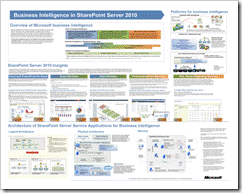
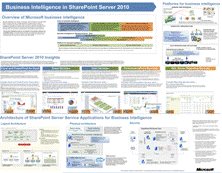
- Getting started with business intelligence in SharePoint Server 2010
- Databases That Support SharePoint 2010 Products
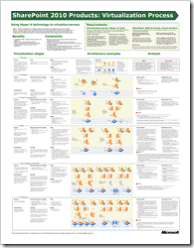
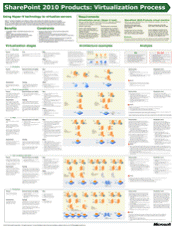
- SharePoint 2010 Products: Virtualization Process
- Governance for SharePoint Server 2010
- Duet Enterprise for Microsoft SharePoint and SAP Poster
DOWNLOAD: Technical diagrams (SharePoint Server 2010)
http://technet.microsoft.com/en-us/library/cc263199.aspx
 kurtsh
 Kurt Shintaku's Blog