 Announcing Microsoft Virtualization Jump Start Training Videos!
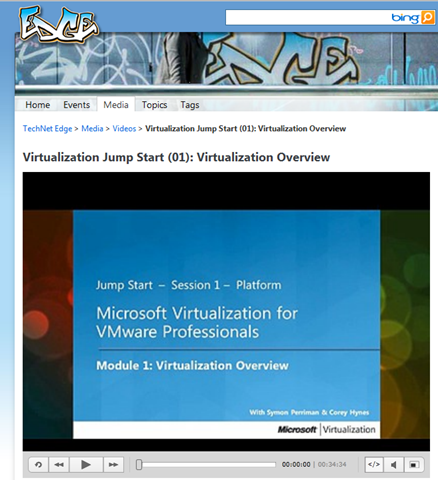
Just after MMS 2011, Microsoft Learning hosted another new and exclusive Jump Start virtual training event – “Microsoft Virtualization for VMware Professionals.” We are thrilled to announce availability of the HD-quality video recordings – FREE – on TechNet Edge, MS Showcase, the Zune Marketplace, iTunes! Additionally, every module will be made available (with assessment questions) on the Microsoft Virtual Academy (MVA) later this month.
Who is the target audience for this training?
- IT Professionals, Virtualization Engineers, Data Center Managers, IT Decision Makers, Network Administrators, Storage/Infrastructure Administrators & Architects.
- Microsoft customers and partners currently using VMware.
- Companies using VMware searching for real-world answers as they consider whether or not Microsoft Virtualization truly fits their needs.
What’s the high-level overview?
- The 15-hour course is broken into three sections: (1) Platform, (2) Management, and (3) VDI
- “Team-teaching” approach led by Microsoft partner and virtualization architect, Corey Hynes, and Microsoft Technical Evangelist, Symon Perriman
- Every module is an engaging discussion, packed with best practices and real-world demonstrations
Where do I go for this great training?
The HD-quality video recordings of this course are on TechNet Edge. If you’re interested in one specific topic, I’ve included links to each module as well.
- Entire course on TechNet Edge: “Microsoft Virtualization for VMware Professionals” Jump Start
- Links directly to specific modules
- Virtualization Jump Start (01): Virtualization Overview
- Virtualization Jump Start (02): Differentiating Microsoft & VMware
- Virtualization Jump Start (03a): Hyper-V Deployment Options & Architecture | Part 1
- Virtualization Jump Start (03b): Hyper-V Deployment Options & Architecture | Part 2
- Virtualization Jump Start (04): High-Availability & Clustering
- Virtualization Jump Start (05): System Center Suite Overview with focus on DPM
- Virtualization Jump Start (06): Automation with Opalis, Service Manager & PowerShell
- Virtualization Jump Start (07): System Center Virtual Machine Manager 2012
- Virtualization Jump Start (08): Private Cloud Solutions, Architecture & VMM Self-Service Portal 2.0
- Virtualization Jump Start (09): Virtual Desktop Infrastructure (VDI) Architecture | Part 1
- Virtualization Jump Start (10): Virtual Desktop Infrastructure (VDI) Architecture | Part 2
- Virtualization Jump Start (11): v-Alliance Solution Overview
- Virtualization Jump Start (12): Application Delivery for VDI
- Links to course materials on Born to Learn
Where can people learn more?
Clearly, virtualization experts worldwide are taking a new look at Microsoft Virtualization. After this Jump Start, we hope you’ll want to learn why. Check out the Microsoft Learning “Virtualization Training Portal” to better understand virtualization-specific certifications and where to find instructor-led classes to help you and your team. Of course, these videos will also be posted to the Microsoft Virtual Academy (MVA) where you can learn at your own pace.
 kurtsh
 Kurt Shintaku's Blog