Did you ever notice that antivirus products do virus def distribution using their own distribution mechanism, requiring a completely different software distribution agent from the deployed desktop management system, such as SCCM?
Technet Flash Editor, Mitch Irsfeld, wrote a column that I felt was important enough to reprint, with apologies to Technet.
If you’ve spent any time protecting your organization’s desktop environment, you’ve no doubt grown weary of the artificial demarcation between the tasks and tools used for desktop security and client management. Treated as separate disciplines for years, security and management evolved into two separate infrastructures, each with its own processes and procedures.
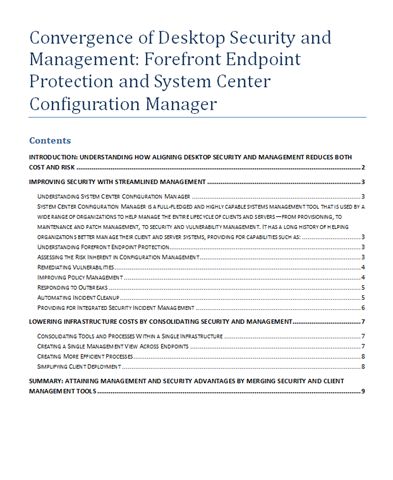
With Forefront Endpoint Protection (FEP) 2010, Microsoft has ended this siloed approach by building FEP into System Center Configuration Manager 2007 R2 and R3. For insight on the advantages of this merged approach, read the white paper Convergence of Desktop Security and Management: Forefront Endpoint Protection and System Center Configuration Manager. Also view the on-demand webcast Forefront Endpoint Protection 2010 and System Center Configuration Manager (Level 200).
Aligning those work streams is also the focus of the Gartner Webcast Security and Management Convergence on the Desktop (Level 100). In this webcast, Gartner analyst Terry Cosgrove discusses the changing landscape of client security and management and the key questions organizations should think about when seeking efficiencies from the combined disciplines.
Centralized Antimalware Management
Then get Microsoft’s perspective on this integration in the Edge video Understanding the Convergence of Security and Management. Adwait Joshi, aka "AJ", a technical product manager on the Security & Management Marketing team, provides a demo showing how Configuration Manager can be used to deploy and manage Forefront Endpoint Protection 2010. And a new case study in the TechNet Library shows how Microsoft IT was able to use its existing infrastructure to implement a centralized antimalware management and reporting solution that provides a holistic view of more than 100,000 clients’ malware status. Using Forefront Endpoint Protection, Microsoft IT improved their SLA for antimalware policy deployment from more than a day to four hours.Let’s not forget that FEP 2010 also provides new levels of threat protection. Check out the TechNet Webcast Forefront Endpoint Protection 2010: Features and Protection Technologies (Level 300) for a deeper dive into the new features. Or for a quicker take, see the Edge videos:
- Forefront Endpoint Protection: New Protection Feature Demos
- Forefront Endpoint Protection 2010 Demos and Interview
- Forefront Endpoint Protection 2010: Simplified Policy Management Demo
TechNet Magazine is also featuring Forefront this month. Brien Posey shows how to use the Microsoft Forefront Threat Management Gateway in a number of different topologies in his article Protecting Workgroups with Forefront. William Stanek writes about the recent changes in the Forefront product suite to deliver multilayered protection. In Achieving Defense in Depth with Forefront, he describes how the key Forefront solutions work together to provide defense in depth for endpoint computers, communication and collaboration servers, and enterprise networks.
Finally, see for yourself how to take advantage of the natural efficiencies that can be gained in combining the management of security and clients in FEP. Download the Forefront Endpoint Protection 2010 trial and you will also have access to the Forefront Endpoint Protection Security Management Pack, which provides real-time monitoring of the security of your server operating systems from System Center Operations Manager.
 kurtsh
 Kurt Shintaku's Blog