This is such an epically awesome post that I’m not even going to repost it. If you want to see the links, go to the original article’s link at the end of this post. This post is chock full of differentiation goodness.
Understanding 64-bit versions of Office 2010 and related deployment considerations, advantages, and disadvantages
If you are considering the deployment of a 64-bit version of Microsoft Office 2010, it is important to understand the differences between the 32 and 64-bit versions, and be aware of the deployment considerations.
See the following blog posts and TechNet articles for related information:
- Microsoft Office Product Development Group blog post, Understanding 64-Bit Office – LINK TO TECHNET BLOGS
- 64-bit editions of Office 2010 – LINK TO TECHNET
- Deployment considerations – LINK TO TECHNET
- Blocking and nonblocking Office applications in 64-bit installations – LINK TO TECHNET
The images below are excerpts from a visual representation of the 64-bit Client Installation of Microsoft Office 2010
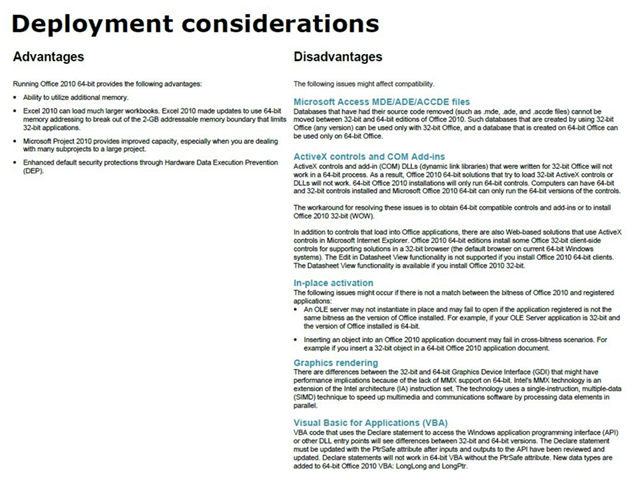
- LINK: Understanding 64-bit versions of Office 2010 and related deployment considerations, advantages, and disadvantages
http://blogs.technet.com/b/odsupport/archive/2010/08/25/understanding-64-bit-versions-of-office-2010-and-related-deployment-considerations-advantages-and-disadvantages.aspx
 kurtsh
 Kurt Shintaku's Blog