The Microsoft Touch Pack for Windows 7 is a collection of games and programs that you interact with using your fingers. To use these games and programs, you need either a laptop with a screen that supports multitouch or a desktop PC connected to a touchscreen that supports multitouch (including all-in-one PCs with touchscreens).
To find this capability, look for a laptop, all-in-one PC, or touchscreen with the Windows 7 logo that says it supports Windows Touch.
The Touch Pack comes preinstalled on some multitouch PCs running Windows 7, but it isn’t included in Windows 7.
What’s in the Touch Pack
The Touch Pack includes six games and programs that highlight the capabilities of Windows Touch:
- Microsoft Blackboard, an intricate game of physics in which you solve a puzzle by creating a fanciful machine on a blackboard.
- Microsoft Garden Pond, a tranquil game that takes place in serene Japanese water gardens.
- Microsoft Rebound, a game in which you use your fingertips to control Tesla spheres with an electrical field between them to catapult a metal game ball into your opponent’s goal.
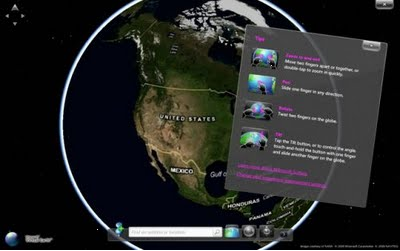
- Microsoft Surface Globe, a program that you can use to explore the earth as a flat 2-D map or as an immersive 3-D experience.
- Microsoft Surface Collage, a program that you can use to explore and interact with your photos and arrange them as a desktop background.
- Microsoft Surface Lagoon, a screen saver and interactive water simulation, complete with a meditative rock arrangement and playful, shy fish.
DOWNLOAD: Microsoft Touch Pack for Windows 7
http://www.microsoft.com/downloads/details.aspx?displaylang=en&FamilyID=b152fadd-82e4-4ddb-a46a-aebe49944428
BLOG: Introducing the Microsoft Touch Pack for Windows 7
http://windowsteamblog.com/blogs/windows7/archive/2009/05/27/introducing-the-microsoft-touch-pack-for-windows-7.aspx
 kurtsh
 Kurt Shintaku's Blog