 Sign up for our Hands-on Lab Online (HOLO) event “How to Deploy Windows 7 in Your Enterprise” today.
What is a “Hands-on-lab Online” event? It’s an online event where you listen to a live presentation and work on lab exercises. As you work on your labs, Microsoft experts can assist and provide guidance by chatting with you one-on-one or by virtually taking control of your lab.
Sign up soon as registration and seating is limited.
Learn about Microsoft Deployment Toolkit (MDT), the recommended process and toolset to automate desktop and server deployment and the Windows Automated Installation Kit (AIK), which is designed to help IT professionals deploy the Windows 7 operating system.
- Introduction to Deploying Windows 7 Using the Windows Automated Installation Kit:
Windows Automated Installation Kit (AIK) is a collection of tools and documentation that you can use to create system images and automate the deployment of the Windows operating system.
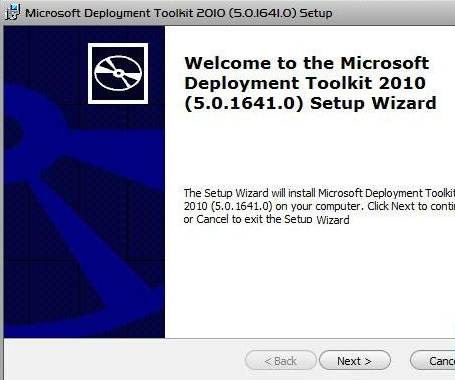
Microsoft Deployment Toolkit (MDT) 2010, the recommended process and toolset to automate desktop and server deployment, provides a common console with the comprehensive tools and guidance needed to efficiently manage deployment of Windows 7.
The Zero-Touch Installation process requires no interaction during deployment and is fully automated through System Center Configuration Manager 2007 R2. We recommend this strategy if your IT organization has experts in deployment, networking, and Configuration Manager 2007 R2 products, and it has a managed network with 500 or more client computers.
Join us to learn more!
(For more information on the Microsoft Deployment Toolkit 2010, visit http://technet.microsoft.com/en-us/solutionaccelerators/dd407791.aspx)
Prerequisites for running the lab:
BEFORE THE EVENT – Check to make sure the virtual lab works on your computer here: http://test.vlabcenter.com/default.aspx
- Install the ActiveX control. The Microsoft "Virtual Machine Remote Control" ActiveX control is required to start the virtual lab. Please have it installed prior to attending the event.
- Review system requirements. These system settings are required to run the labs successfully.
- If you have any issues, please contact support.
Audience:
IT Generalist
Date:
Tuesday, May 18, 2010 12:00 PM Pacific Time
Registration:
Please contact me if you are a customer of mine, for registration information as the attendance for this online training is limited due to server capacities.
 kurtsh
 Kurt Shintaku's Blog