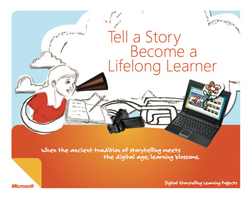
If you’re a teacher, you may be interested in this new 25-page eBook we released designed to help you teach students about story telling using digital tools such as Windows Movie Maker & Microsoft Photostory 3.
Created in collaboration with Mary Lane Potter, a teacher, writer and editor in Seattle, Washington, this educational tool can help students better express themselves and in the process of doing so, become better learners as well.
The ancient tradition of storytelling meets the digital age. When students create a movie or interactive slideshow to tell their story, learning becomes personal. With digital storytelling, students can:
- Improve their writing.
- Show creativity.
- Have a voice.
Digital storytelling projects lend themselves well to portfolio assessment.
Create movies and slide shows from photos and videos—right in your classroom. You can use either Windows Live Movie Maker or Photo Story.
- Windows Live Movie Maker (for Windows Vista and Windows 7): Create movies that use photos and videos. Learn how to use Windows Live Movie Maker in class.
- Photo Story 3 (for Windows XP): Combine photos into digital stories. Download Photo Story 3.
- DOWNLOAD: eBook – “Tell a Story, Become a Lifelong Learner”
http://www.microsoft.com/education/teachers/guides/digital_storytelling.aspx?WT.mc_id=digistorytelling_teacherhomepage
(This is one of many free tools available to teachers from the “Free Tools for Teachers” guide, a eBook available from Microsoft:
DOWNLOAD: http://www.microsoft.com/education/teachers/guides/freetools.aspx)
 kurtsh
 Kurt Shintaku's Blog