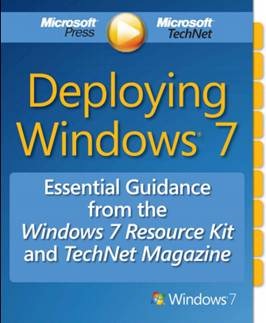
 This is a subset of the Windows 7 Resource Kit that you folks might find very useful regarding your efforts around Deployment. I posted this a while ago but it seemed like it would be worthwhile to repost again in case you hadn’t downloaded it yet.
- DOWNLOAD: Deploying Windows® 7 Essential Guidance from the Windows 7 Resource Kit and TechNet Magazine
Microsoft’s eBook Deploying Windows® 7 Essential Guidance from the Windows 7 Resource Kit and TechNet Magazine combine selected chapters written by industry experts Mitch Tulloch, Tony Northrup, Jerry Honeycutt, Ed Wilson, and the Windows 7 Team with select Windows 7 articles from TechNet Magazine. Sample topics include: Deployment Platform, Planning Deployment, Testing Application Compatibility, and 8 Common Issues in Windows 7 Migrations.
http://www.microsoft.com/downloads/details.aspx?FamilyID=EE2A1D38-88A9-43B3-95BC-7E962F0B6030&displaylang=en
There’s also a few recorded webcasts specific to Windows 7 Deployment & WinXP-to-Win7 migrations that y’all might find useful as well.
- SCREENCAST: Windows XP to Windows 7 Migration Part 1: Building the Deployment Environment (9 min 56 sec)
Learn how to build media that will automatically migrate computers from Windows XP to Windows 7 with user data, custom applications and drivers. This demonstration will walk you through the Microsoft Deployment Toolkit (MDT) Deployment Workbench and how it works.
http://technet.microsoft.com/en-us/windows/ee410767.aspx - SCREENCAST: Windows XP to Windows 7 Migration Part 2: Initiating the Install and Migrating the PC (9 min 33 sec)
Explore the user experience for migrating the Windows XP computer to Windows 7 and how brief – or "lite touch" – interaction is required up front to automate the entire process of data migration, OS installation, driver and application customization, and domain join
http://technet.microsoft.com/en-us/windows/ee410769.aspx - SCREENCAST: Windows 7 Deployment Tools Part 1: Preparing an Image using Sysprep and ImageX (1 min 50 sec)
This demonstration shows how to capture a custom Windows system image using the System Preparation Tool (sysprep) to generalize the installed image and ImageX to capture the contents of the generalized system image for re-deployment to other computers – including different hardware types
http://technet.microsoft.com/en-us/windows/ee530017.aspx - SCREENCAST: Windows 7 Deployment Tools Part 2: Deployment Image and Servicing Management (3 min 0 sec)
This demonstration shows the Deployment Image Servicing and Management (DISM) command line tool and how it can be used to audit and manage offline Windows System Images.
http://technet.microsoft.com/en-us/windows/ee524789.aspx - SCREENCAST: Windows 7 Deployment Tools Part 3: Deployment Workbench in Microsoft Deployment Toolkit 2010 (1 min 50 sec)
This demonstration shows how the Microsoft Deployment Toolkit is used to create deployment media to install Windows 7. The process includes migration of user files and settings, automated installation of the Windows 7 operating system, automated installation custom applications and performing additional configurations needed when migrating from Windows XP or Windows Vista to Windows 7.
http://technet.microsoft.com/en-us/windows/ee529974.aspx - SCREENCAST: Windows 7 Deployment Tools Part 4: Windows XP to Windows 7 Migration (1 min 45 sec)
This demonstration shows the migration experience from Windows XP to Windows 7 using the Microsoft Deployment Toolkit. We will show how user files and settings are migrated quickly using hard-links, applications can be installed and customized according to user roles, and Windows 7 is installed and configured with minimal up-front initiation from the IT administrator.
http://technet.microsoft.com/en-us/windows/ee530027.aspx - VIDEO: TechNet: Automating Your Windows 7 Deployment with MDT 2010 (1 hour 8 min 54 sec)
Deploying Windows 7 is easy if you’re using the Microsoft Deployment Toolkit (MDT) 2010. This session will walk you through the various tools that can help simplify your deployments. We’ll drill down in the MDT Workbench and look at how the MDT process helps you create a reference image, which can then be easily deployed to the target computers. We’ll look at how to configure the deployment environment, show how you can add operating systems, applications, drivers, and language packs using the Deployment Workbench, and then finish up by creating a task-sequenced deployment to a target computer.
http://edge.technet.com/Media/TechNet-Simulcast-Automating-Your-Windows-7-Deployment-with-MDT-2010/
For more video walkthroughs, check the following lists we have up on Microsoft.com:
- TechCenter: Windows 7 Walkthroughs
Explore new and updated features in Windows 7 with short screencasts then learn how to accomplish common planning, migration, deployment, and management tasks with more in-depth demonstrations and tutorials.
http://technet.microsoft.com/en-us/windows/dd320282.aspx - Deployment "How Do I?" Videos
These short videos focus on specific tasks and show you how to accomplish them in Deployment. Subscribe to the Deployment videos RSS feed to see new content every month.
http://technet.microsoft.com/en-us/desktopdeployment/dd353198.aspx - Technet EDGE: Deployment Videos
These videos are specifically around Deployment from a large funnel of IT professional videos that get posted at miscellaneous times.
http://edge.technet.com/Search/feed/rss/?Term=deployment
 kurtsh
 Kurt Shintaku's Blog