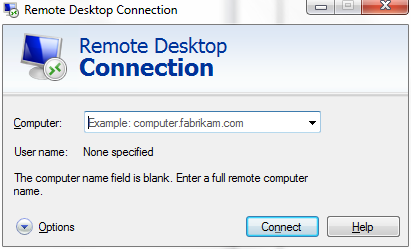
 WHOA. I didn’t even know we released this. This is a major, major update to the Remote Desktop Client for folks that use Terminal Services RDP protocol to remote into servers or desktops.
WHAT’S SO SPECIAL ABOUT RDC 7.0?
I can putz around and talk about all the little nook and cranny features of the new client but the big one is what I believe to be the integration of the real-time graphics acceleration & redirection technology we acquired from Calista Technologies.
Calista Technologies was a small 30 person company that specifically held patents on techniques that provided the ability to transmit multimeida, rapidly changing graphics and waveforms over desktop redirection connections such as an RDP session. We acquired them and their talent a couple years ago with the intention of incorporating this technology directly into Terminal Services back then… now called Remote Desktop Services today in Windows Server 2008 R2.
In order to take advantage of much of this however, you need to have Calista’s technology on both sides of an RDP connection. This is what was integrated into Windows 7’s RDP connection client and Windows Server 2008 R2. Now, with RDC 7.0, it looks like other OS’s (XP, Vista) can take advantage of this technology – as long as the backend if Windows Server 2008 R2 (or Windows 7) of course.
Here’s a quick listing of the ‘multimedia relevant’ improvements to the Remote Desktop Connection client in the 7.0 release.
- Windows Media Player redirection
Windows Media Player Redirection enables content hosted in Windows Media Player to be redirected to the client for decoding on users’ computers. This improves the quality of the video and makes sure that video and audio are always in sync. This works for both full Windows Media Player and Windows Media Player controls hosted in Web pages. - Bidirectional audio
You can redirect audio recording devices such as microphones on the client computer. This is ideal for applications such as Windows 7 voice recognition, and applications that record audio. - Multiple monitor support
In Windows Vista and in Windows Server 2008, Terminal Services supported only monitor spanning. Remote Desktop Services now includes multiple monitor support for up to 16 monitors, and works for both Remote Desktop and RemoteApp programs.
Note For connections with multiple monitor support enabled, AeroGlass support is currently not supported and will be turned off. - Enhanced video playback
Bitmap acceleration improves the remote display of graphics-intensive applications such as PowerPoint, Flash, and Silverlight.
DOWNLOAD:
http://support.microsoft.com/kb/969084
 kurtsh
 Kurt Shintaku's Blog