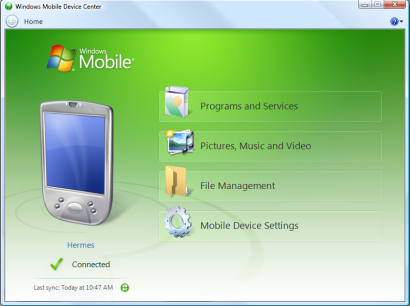
 Download and install Windows Mobile Device Center 6.1 if you run Windows Vista or Windows 7 on your computer and you want to sync content between your mobile phone and your computer. Windows Mobile Device Center is only compatible with Windows Vista and Windows 7; if you run Windows XP or earlier, you have to download Microsoft ActiveSync.
Key updates and system requirements for Windows Mobile Device Center
Windows Mobile Device Center 6.1 key updates
Information Rights Management (IRM) activation
Automatically configures your Windows Mobile 6 phone to open IRM-protected documents and files.
Certificate enrollment
Acquires certificates through the computer that your Windows Mobile 6 phone is connected to.
Product registration
Register your Windows Mobile phone and get connected to information and offers available for your mobile phone.
Windows Mobile Device Center system requirements
You can use Windows Mobile Device Center 6.1 with the following versions of Windows only:
Windows 7 Ultimate
Windows 7 Professional
Windows 7 Home Premium
Windows 7 Starter
Windows Vista Ultimate
Windows Vista Enterprise
Windows Vista Business
Windows Vista Home Premium
Windows Vista Home Basic
Windows Server 2008
Windows Mobile Device Center 6.1 works only with the following versions of the Windows Mobile operating system:
Windows Mobile 6.1
Windows Embedded CE 6.0
Windows Mobile 6
Windows Mobile 5.0 with Messaging and Security Feature Pack
Windows Mobile 5.0
Windows Mobile 2003 Second Edition
Windows Mobile 2003
DOWNLOAD: Windows Mobile Device Cetner 6.1 for Windows 7 x64
http://www.microsoft.com/windowsmobile/en-us/downloads/microsoft/device-center-download.mspx
 kurtsh
 Kurt Shintaku's Blog