
IT Management, Process Management, Project Management… and lots more
Microsoft Office Visio 2007 makes it easy for IT and business professionals to visualize, explore, and communicate complex information. Go from complicated text and tables that are hard to understand to Visio diagrams that communicate information at a glance. Instead of static pictures, create data-connected Visio diagrams that display data, are easy to refresh, and dramatically increase your productivity. Use the wide variety of diagrams in Office Visio 2007 to understand, act on, and share information about organizational systems, resources, and processes throughout your enterprise.
———————-

Using Visio 2007 Professional to Document IT Infrastructure
Tuesday, September 8th 11:00 AM EST – 90 minutes
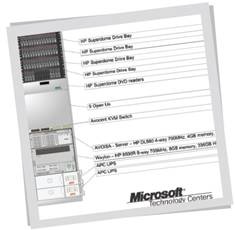 In this webcast, we focus on using Visio 2007 Professional to document resources and solve IT challenges. Topics we cover include:
- Creating and maintaining site maps and building plans.
- Importing CAD floor plates from CAD drawings such as AutoCAD .DWG files.
- Creating and maintaining corporate organization charts.
- Analyzing corporate resource utilization (documented as a Visio 2007 pivot diagram).
- Presenting performance analysis for staff (shown as data graphics added to an organizational chart).
- Analyzing departmental assets, both in floor plan view and as a Visio 2007 pivot diagram.
- Displaying space allocation as illustrated on a floor plan.
———————-
Using Visio 2007 Professional for IT Asset Management
Tuesday, October 13th 11:00 AM EST – 90 minutes
Microsoft Office Visio 2007 Professional can provide clear and concise visual insight into the IT documentation process. In this webcast, we focus on using Visio 2007 Professional to create and maintain:
- Physical network layouts through plan-based diagrams.
- Logical network diagrams through logical network topology diagrams.
- Rack diagrams to document the physical IT assets in server rooms and equipment closets.
- Wiring diagrams as overlays to floor plan diagrams.
Other topics we discuss include using auto-discovery tools in conjunction with Visio 2007 Professional, documenting collections of additional physical network equipment as Visio SmartShape symbols, and using space-allocation diagrams generated from the Visio facilities management solution technology and attached to external data.
———————-
Using Visio 2007 Professional for IT Migration Process Flow
Tuesday, November 10th 11:00 AM EST – 90 minutes
Microsoft Office Visio 2007 Professional can provide clear and concise visual insight into the IT implementation and documentation process. In this webcast, we focus on using Visio 2007 Professional to:
- Create flow diagrams to document and analyze business processes.
- Create cross-functional flow diagrams to analyze tasks and processes across numerous stakeholders and functional groups.
- Design and create user interfaces to assist knowledge workers.
- Document Web sites to understand and improve corporate intranet and Internet presences.
- Link flow diagrams to external data sources for analysis of key performance indicators.
- Analyze server performance based on external data driven by enterprise data sources.
- Link to Microsoft Office Project 2007 data to generate and analyze timelines for project performance.
|
Please contact me, if you’re a customer of mine, for registration information.
|


 kurtsh
 Kurt Shintaku's Blog