A customer asked our support engineer, “How can we get usage statistics from Sharepoint?” (Sharepoint Server 2007 or Windows Sharepoint Services) The question is sort of broad, but does reflect an important function of Sharepoint. After all, how otherwise would you know if anyone’s using the portal implementation that you worked so hard to bring up?
The easiest way to implement some level of usage reporting is to leverage the inherent capabilities of Sharepoint:
- You can take ANY Sharepoint site and tack on the following appendage and get stats:
_layouts/1033/usageDetails.aspx
For example, http://sharepoint/sites/personalsite/
_layouts/1033/usageDetails.aspx reveals: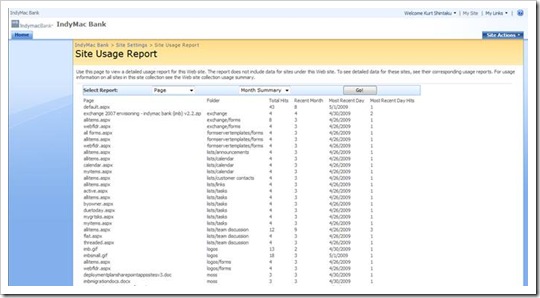
- Sharepoint Usage Reporting can be configured following these instructions:
http://technet.microsoft.com/en-us/library/cc262541.aspx - Sharepoint Designer can delve into Sharepoint Stats as well:
- http://office.microsoft.com/en-us/sharepointdesigner/HA101741361033.aspx

There are a number of 3rd party solutions as well:
- Additionally, there is a tool out there from the famous MAPIlab guys that provides richer stats:
http://www.mapilab.com/sharepoint/statistics/ - Nintex Reporting also provides richer reporting on usage:
http://www.nintex.com/Nproducts/Reporting.aspx - And there are lots of 3rd party, generic web server stat products out there. The famous WebTrends has Sharepoint Integration – Mike Gannotti writes about it here.
http://sharepoint.microsoft.com/blogs/mikeg/Lists/Posts/Post.aspx?List=1b3bbb8f%2D4b5a%2D4f72%2D94c4%2D94cb80bc3866&ID=1293

 kurtsh
 Kurt Shintaku's Blog