 Have you ever wanted to review all the comments in your Windows Live Space to help eliminate unwanted entries or SPAM? It’s actually pretty easy but many people don’t know how to do it.
Simply do the following:
- Go to http://home.spaces.live.com
- Login to you Windows Live Account.
This should put you into a screen similar to that on the left. If it doesn’t click on the “More” menu item at the top of the screen and click “Spaces”. 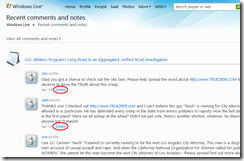 Click on “Recent Comments”.
This will list out all the recent comments on your blog. To delete undesirable SPAM, simply click the “DELETE” hyperlink next to each entry you don’t want on there.

Done!

 kurtsh
 Kurt Shintaku's Blog