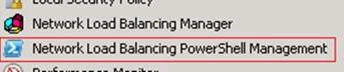
 In Windows Server 2008 R2 (“R2”) we are introducing PowerShell as the new scripting language for clustering technologies.
PowerShell with Network Load Balancing (NLB) will replace NLB.exe and WLBS.exe. The Windows Server 2008 R2 release is the last release for NLB.exe and WLBS.exe. This means it will still be available for use so it doesn’t break legacy scripts, but no improvements have been made so NLB.exe and WLBS.exe will be completely removed in the next release of Windows Server. Do not worry – you will love PowerShell with its numerous benefits over standard command line interfaces, including easily customizable scripts and the dynamic use of variables.
In Windows Server 2008 R2, PowerShell can also be run on Server Core machines. Using PowerShell on a Core NLB cluster, you can directly create and manage your NLB cluster, without needing to manage the Core node through a UI-based remote machine.
How do I get R2 Beta?
The Windows Server 2008 R2 Beta build will be available shortly for deployment and testing. There are numerous ways to get the Windows Server 2008 R2 Beta build which includes Network Load Balancing. If you work for an organization which partners with Microsoft, try contacting your Technology Account Manager (TAM) to see if they can provide you with access. If your organization is enrolled in the Technology Adoption Program (TAP) you may also have access through this channel. Others may enroll in the Microsoft Connect program (http://connect.microsoft.com/) to receive access to major builds.
——
For more information:
http://blogs.msdn.com/clustering/archive/2008/12/26/9253786.aspx

 kurtsh

