 Have you ever wished you could edit the LiveMeeting recordings using Windows Movie Maker?
Or maybe you wanted to distribute a LiveMeeting recording to portable media devices like Zunes as a podcast?
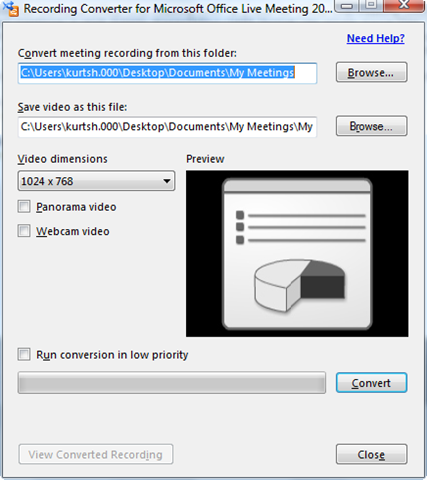
Recording Converter for Microsoft Office Live Meeting 2007 (LM2MOVIE) is a tool for Office Live Meeting 2007 customers to convert recorded meetings in High Fidelity Presentation (HFP) format into single movie files. The converted movie files can be integrated with a customer’s existing learning management system, and edited by using a video editing tool such as Windows Movie Maker, and then viewed on portable devices.
A few comments about LM2MOVIE.EXE:
- Getting a conversion to look the way you want it to may take several attempts with different settings. This is not a perfect science.
- Video editing in general takes some effort; you may have to use command line arguments against LM2MOVIE.EXE to get the results looking to your liking.
- The resulting file is streamable but it is not recommended for efficiency purposes. If streaming is necessary, you should re-encode using Windows Media Encoder however be aware that this will possibly degrade the picture quality.
- LM2MOVIE defaults to 5 frames per second which allows for a very quick conversion and should work well for most meetings. But that is going to look very choppy if there is animation on the screen (mouse movement, talking head, etc…). This is editable using the command line.
- Flash, Shared Notes & Q&A are not supported in this version.
And finally, this tool is a unsupported. Don’t go calling Premier. They’ll go, “What?”
DOWNLOAD: (1.17MB)
http://office.microsoft.com/en-us/help/HA101215971033.aspx
FREQUENTLY ASKED QUESTIONS:
http://office.microsoft.com/en-us/help/HA103525021033.aspx

 kurtsh
 Kurt Shintaku's Blog