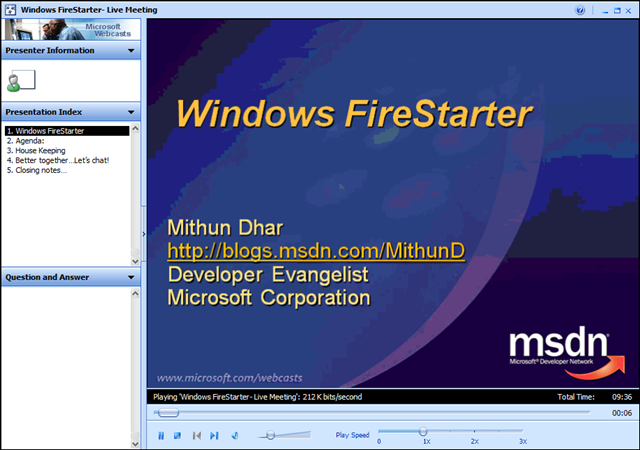
 Did you miss the Windows FireStarter online event?
If so, you can still see recordings of the archived presentations. I’ve copied the links to them below.
- Kick off
https://www.livemeeting.com/cc/mseventsbmo/view?id=1032396930&role=attend&pw=MEIFNGG - Keynote/Why Vista!
https://www.livemeeting.com/cc/mseventsbmo/view?id=1032396930-1&role=attend&pw=MEIFNGG - The Case of the Unexplained
https://www.livemeeting.com/cc/mseventsbmo/view?id=1032396930-2&role=attend&pw=MEIFNGG - Building Differentiated UI Applications Using Composite WPF
https://www.livemeeting.com/cc/mseventsbmo/view?id=1032396930-3&role=attend&pw=MEIFNGG - Open up your apps with MEF:
https://www.livemeeting.com/cc/mseventsbmo/view?id=1032396930-4&role=attend&pw=MEIFNGG - Best Practices for Developing for Windows for Windows Standard User
https://www.livemeeting.com/cc/mseventsbmo/view?id=1032396930-5&role=attend&pw=MEIFNGG - Windows Security and Bitlocker
https://www.livemeeting.com/cc/mseventsbmo/view?id=1032396930-6&role=attend&pw=MEIFNGG - Windows 7 + Windows Server 2008 R2 Teaser Session
https://www.livemeeting.com/cc/mseventsbmo/view?id=1032396930-7&role=attend&pw=MEIFNGG - Windows for everyone!
https://www.livemeeting.com/cc/mseventsbmo/view?id=1032396930-8&role=attend&pw=MEIFNGG
—————————
Windows FireStarter is coming to a PC near you. We’re broadcasting another FireStarter event live from Redmond! Register to watch and learn all that you ever wanted to know about Windows. Topics covered: Why Vista?, The Case of the Unexplained, Building Differentiated UI Apps using Composite WPF, Best Practices for Developing for Windows; Windows Security Bitlocker, Windows 7 and Windows Server 2008 R2.
This month features Windows Internals Expert, Diagnostics & Recovery Toolset creator & book author, Mark Russinovich.
All the sessions in this event are presented to you by some Excellent Microsoft Speakers who are Subject Matter Experts.
———————–
When: December 12th 2008 8:30 AM- 5:00 PM PACIFIC
The Live Meeting Space won’t be active till 8:00 AM on December 12th
Computer Audio
To use computer audio, you need speakers and microphone, or a headset. Questions can be asked via the Q&A panel in Live Meeting.
First Time Users:
To save time before the meeting, check your system to make sure it is ready to use Microsoft Office Live Meeting.
Agenda:
|
Session Name |
Speaker | |
|
8:15 – 8:30 |
Kick off | |
|
8:30 – 9:30 |
Keynote/Why Vista! | |
|
9:30 – 10:45 |
The Case of the Unexplained | |
|
10:45 – 11:00 |
Break | |
|
11:00 – 12:15 |
Building Differentiated UI Applications Using Composite WPF | |
|
12:15 – 1:00 |
Lunch | |
|
1:00 – 2:00 |
Best Practices for Developing for Windows for Windows Standard User | |
|
2:00 – 3:00 |
Windows Security and Bitlocker |
Byron Hynes |
|
3:00 – 3:15 |
Break | |
|
3:15 – 4:00 |
(Windows 7 + Windows Server 2008 R2) Teaser Session |
Byron Hynes |
|
4:00 – 5:00 |
Windows for everyone! |

 kurtsh
 Kurt Shintaku's Blog