(a.k.a. "Mommy, Why is There a Server in the House?")
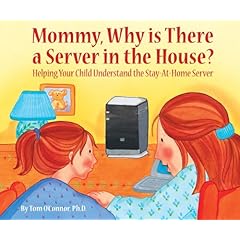
Only a geek could appreciate this but the Windows Home Server group produced their own children’s book entitled "Mommy, Why is There a Server in the House?: Helping Your Child Understand the Stay-at-home Server."
 By the way, in case you’re wondering:
What it is "Windows Home Server"?
- BACKUP DISK & FILES
Provides a automatic full & incremental backup facility for all Windows desktops/laptops in the home - SINGLE INSTANCE STORAGE
Maintains only a single copy of a file on a server even if it’s located multiple times on the same workstation drive or across different workstations! - DYNAMIC DNS
Windows Home Server comes with FREE dynamic DNS registration to facilitate easy access to the Home Server using a custom tertiary domain name. (Something like http://shintaku1.homeserver.windowslive.com) - REMOTE WORKSTATION ACCESS
Gateways remote access to any workstation at home through Remote Desktop! - PASSWORD SYNC
Synchronizes password changes between workstation & server, bidirectionally, enabling people to change their workstation password without affecting the backup server’s permissions and vice versa - MONITORS SECURITY STATUS
Alerts manager of a workstation that has a non-Green security status on it by monitoring security center in XP & Vista - WEB ADMIN ACCESS
Backups are accessible over the Internet through a web interface; includes drag & drop access to files using an ActiveX control or straight HTML for a less rich but compatible experience
Supports up to 10 clients and costs $199 software only. Will more than likely be purchased through OEMs.
 kurtsh
 Kurt Shintaku's Blog